Categories
Digital Signages

Real-Time vs. Scheduled Data Refresh: Choosing the Right Update Frequency for Your Signage Dashboards

A digital signage dashboard is only useful if the information on it is current enough for the people looking at it.

That does not always mean you need real-time data.

A factory manager may need to see production numbers as they change. A retail store may only need to update its promotions a few times a day. A corporate office might refresh employee announcements every morning.

The right update frequency depends on what you are displaying, how quickly that information changes, and what your audience needs to do with it.

This is where the choice between real-time and scheduled data refresh becomes important.

What Is a Data Refresh in Digital Signage?

A data refresh is simply the process of updating the information displayed on your digital signage screen.

When your signage is connected to a data source such as a Power BI dashboard, Google Sheet, API, CRM, POS system, or IoT platform, the information on the screen can change when the source data changes. Your digital signage CMS plays an important role in managing how that content is updated, scheduled, and displayed.

The important question is how often that update should happen.

You can set your digital signage to refresh continuously or at specific intervals, depending on the platform and data source.

For some use cases, a few scheduled updates are enough. For others, even a short delay can make the information less useful.

Real-Time Data Refresh vs. Scheduled Refresh

The difference is fairly straightforward.

Real-time refresh means your signage updates as new information becomes available, or with very little delay.

Scheduled refresh means your signage checks for new information at predetermined intervals, such as every 5 minutes, every hour, or once a day.

Neither approach is automatically better.

The right choice depends on the type of information you are displaying.

FeatureReal-Time RefreshScheduled Refresh
Best forFast-changing informationStable or predictable information
Update frequencyContinuous or near real-timeFixed intervals
Common examplesMachine status, live sales, queuesMenus, prices, announcements
Main benefitKeeps information currentReduces unnecessary updates
Main considerationCan require more system resourcesInformation may be slightly outdated
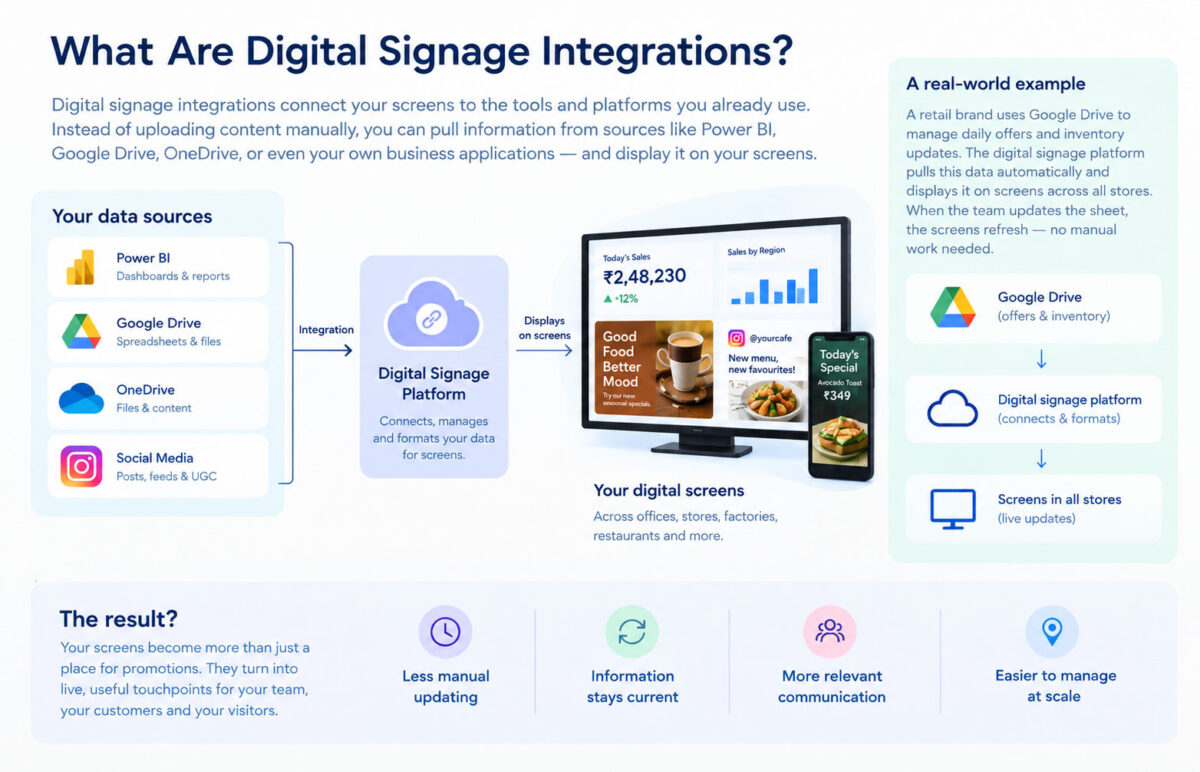
Real-time refresh versus scheduled refresh: real-time updates instantly for live dashboards, sales and operational data; scheduled refresh runs every 5 minutes, every hour or once a day for promotions, menus and announcements

When Should You Use Real-Time Data?

Real-time data makes sense when the information can change quickly and people need to see those changes immediately.

Think about a manufacturing floor where a screen shows machine status. If a machine stops working, displaying that information several hours later does not help the operations team.

The same applies to environments where the screen supports time-sensitive decisions.

Manufacturing and Operations

A factory can connect digital signage to production systems or IoT devices to display information such as:

  • Production output
  • Machine status
  • Downtime
  • Temperature
  • Energy consumption
  • Safety alerts

If these numbers change frequently, real-time or near-real-time updates can make the screen much more useful.

Retail Sales and Inventory

Retail teams may want to display live sales numbers, inventory levels, or store targets.

For example, a screen in a retail back office could show how much the store has sold today and how close the team is to its target. If the numbers update throughout the day, employees can see their progress without checking a separate system.

Queues and Customer Information

Real-time updates can also be useful when customers are waiting for something.

Healthcare facilities, banks, airports, and service centres can use connected data to display queue numbers, appointment information, or other updates that change throughout the day.

In these cases, outdated information can create confusion rather than simply being inconvenient.

When Is Scheduled Data Refresh Better?

Not every piece of information needs to update every few seconds.

If you are displaying content that changes predictably, scheduled refreshes are often the more sensible option.

Menus and Prices

Restaurants and cafes may change prices, menu items, or promotions occasionally rather than constantly. A scheduled update can keep the screens current without repeatedly checking for changes that are unlikely to happen. With the right digital signage content scheduling setup, you can also plan when specific content should appear on different screens.

Corporate Communications

An office screen might display company announcements, meeting schedules, employee events, or internal news.

Most of this information does not need to refresh continuously. Updating it every few hours or once a day may be more than enough.

Daily Targets and Performance Reports

A sales team may want to see yesterday's performance or the latest daily target on a screen.

If the underlying report is updated once every morning, there is little reason for the signage to refresh every minute.

The goal is to match the refresh rate to the pace of the information.

How Often Should a Digital Signage Dashboard Refresh?

There is no universal refresh rate that works for every digital signage dashboard.

Instead, ask how quickly the underlying data changes and how quickly someone needs to act on it.

Here is a simple way to think about it:

  • Every few secondsUse this for information that changes continuously and requires immediate visibility, such as machine status or live operational data.
  • Every few minutesThis can work well for sales dashboards, inventory information, queues, or other frequently changing business data.
  • Every few hoursThis is suitable for information such as schedules, internal updates, or performance reports that change throughout the day but do not require constant monitoring.
  • Once a dayThis works for content such as daily announcements, menus, planned promotions, and other relatively stable information.

The important thing is not to refresh data simply because you can. Refresh it when doing so provides value to the person viewing the screen.

What Happens If Your Dashboard Refreshes Too Often?

More frequent updates are not always better.

If your data source changes once an hour, refreshing the signage every 10 seconds does not give your audience any additional information.

It can also create unnecessary requests between your signage platform and the connected system.

This becomes particularly relevant when you have a large network of screens pulling data from the same source.

For example, updating one screen every minute is very different from updating 500 screens every minute. Your integration needs to handle the scale without creating unnecessary load.

What Happens If Your Dashboard Refreshes Too Slowly?

The opposite problem can be just as frustrating.

Imagine a production screen showing machine data that is 30 minutes old. The information might look perfectly accurate, but it could give the team a misleading picture of what is happening right now.

The same issue can occur with inventory, sales, queues, or other time-sensitive information.

A useful rule is to ask:

"How old can this information be before it becomes misleading?"

That answer can help you determine the appropriate refresh frequency.

Real-Time Does Not Always Mean Instant

There is an important distinction here.

When a platform says it supports real-time data, that does not necessarily mean the screen changes at the exact moment the source system changes.

There can be a small delay caused by the data source, API, network, processing, or digital signage platform.

For most business use cases, near-real-time data is perfectly adequate.

If a sales dashboard updates every 30 seconds or every minute, for example, the difference from true instant updates may not matter to the people viewing it.

What matters is whether the information is fresh enough for the decision they need to make.

How APIs Affect Data Refresh

APIs are often used to connect digital signage with business systems that do not have a ready-made integration.

Your signage platform can request information from a system such as a CRM, ERP, POS, inventory platform, or internal application.

The refresh frequency can then depend on how that API works.

Some systems can provide updates frequently. Others may have rate limits or restrictions on how often data can be requested.

That is why API support alone is not enough when evaluating digital signage software. You should also understand how the platform handles refresh intervals, caching, data requests, and failures.

What About Power BI and Google Sheets?

Power BI and Google Sheets are common examples of business data sources that teams may want to bring onto digital signage.

A Power BI dashboard can be useful for displaying sales, revenue, targets, inventory, or operational KPIs.

Google Sheets can work well when a team needs a simple way to manage information such as prices, offers, schedules, or daily targets.

The best refresh frequency depends on the data inside them.

If a Google Sheet contains a weekly event schedule, refreshing it every few seconds adds little value.

If a Power BI dashboard is tracking live operational performance, more frequent updates may make sense.

The integration should follow the behaviour of the data, rather than the other way around.

How to Choose the Right Refresh Frequency

Before choosing a refresh interval, look at five things.

  1. How quickly does the data change?

    If the information changes once a day, you probably do not need real-time updates.

    If it changes every few seconds, a daily refresh will not be useful.

  2. How quickly does your audience need to react?

    A screen displaying production alerts has different requirements from a screen displaying the week's cafeteria menu.

    Think about what happens when the information is outdated.

  3. How many screens are connected?

    A single screen and a network of hundreds of screens have very different data requirements.

    Your digital signage platform should be able to handle the refresh frequency across your entire network.

  4. Does the data source have limitations?

    Check whether your API, dashboard platform, spreadsheet, or business system has limits on how often data can be accessed or updated.

  5. What happens when the connection fails?

    A good digital signage setup should have a sensible fallback.

    If your screen temporarily loses internet access, it should not simply go blank. Features such as offline playback can help screens continue displaying previously downloaded content until the connection is restored.

Why Refresh Frequency Matters for Digital Signage

The point of connecting business data to your screens is to make the information more useful.

That means freshness matters, but usefulness matters more.

A dashboard that updates every five seconds is not necessarily better than one that updates every hour. If the information itself only changes once an hour, the extra refreshes do not make the screen more valuable.

On the other hand, showing yesterday's production numbers on a screen that is supposed to help a team manage today's operations defeats the purpose of connecting the data in the first place.

The right refresh frequency sits somewhere between those two extremes.

How Intelisa Fits Into a Connected Digital Signage Setup

If you want your digital signage to do more than play the same content on repeat, Intelisa gives you the tools to build a more connected setup.

With Intelisa’s cloud-based CMS, you can manage content across multiple screens, schedule updates, monitor displays remotely, and use custom widgets to bring dynamic information onto your screens. Offline playback also keeps your content running when a screen temporarily loses its connection.

The idea is simple: connect your signage to the information your audience actually needs, decide how often it should change, and manage it all from one place.

Want to see what that could look like for your screens?

Start your Intelisa trial

Explore the platform for yourself.

FAQs

What is real-time data in digital signage?

Real-time data in digital signage refers to information that is updated on a screen with little delay after the underlying data changes. It is useful for fast-changing information such as machine status, sales, inventory, queues, and operational metrics.

How often should a digital signage dashboard refresh?

The ideal refresh frequency depends on how quickly the data changes and how quickly viewers need to act on it. Fast-changing operational data may need updates every few seconds or minutes, while menus, announcements, and schedules may only need a few updates per day.

Is real-time digital signage better than scheduled refresh?

Not necessarily. Real-time refresh is useful for time-sensitive information, while scheduled refresh is often more efficient for stable or predictable content. The best approach is to match the refresh frequency to the use case.

Can digital signage dashboards update automatically?

Yes. Digital signage can be connected to data sources such as APIs, dashboards, spreadsheets, and business systems so that information can update automatically according to the capabilities of the platform and data source.

Does digital signage need an internet connection for data refresh?

Connected dashboards generally need network access to retrieve new data. However, digital signage platforms with offline playback can continue showing previously downloaded content when the connection is temporarily unavailable.

Categories
Digital Signages

Digital Signage Integrations: Power BI, Google Drive & More

A digital screen is only as useful as the information it shows.

A promotional video or a product image might do the job in a retail store. But what if you want that same screen to show today's sales numbers, a live dashboard, business content, social media posts, or information your team already manages elsewhere?

That is where digital signage integrations come in.

Instead of treating your screens as separate from the systems your business already uses, integrations let you bring information and content from those systems onto the screen. Depending on your setup, that could mean connecting Power BI, Google Drive, OneDrive, or social media.

And there is a good reason businesses are investing in this kind of setup. The global digital signage market was valued at around $31.1 billion in 2025 and is expected to reach $58.4 billion by 2033, according to Grand View Research. India's market was worth an estimated $1.32 billion in 2025 and is projected to grow at a 10.7% CAGR between 2026 and 2033.

Global digital signage market

2025$31.1B
2033$58.4B

India, 2025 to 2033

10.7% CAGR

From an estimated $1.32 billion in 2025, growing between 2026 and 2033.

The screens are growing. What they can do is growing with them.

What Are Digital Signage Integrations?

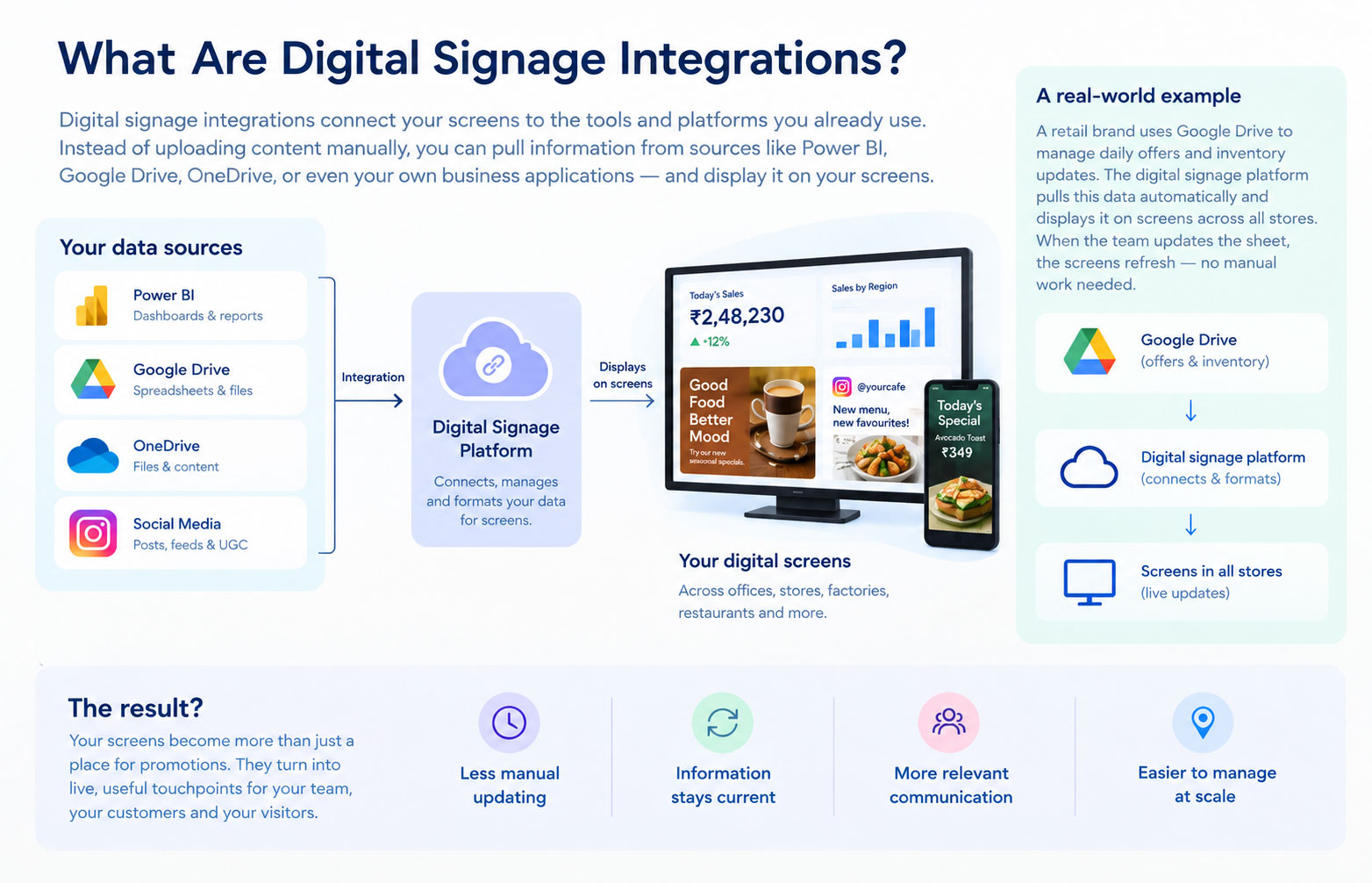
What are digital signage integrations: Power BI, Google Drive, OneDrive and social media connected to a digital signage platform and displayed on screens

A digital signage integration connects your signage software to another platform or content source. It lets your screen use information or content from somewhere else instead of relying entirely on manually uploaded content.

For example:

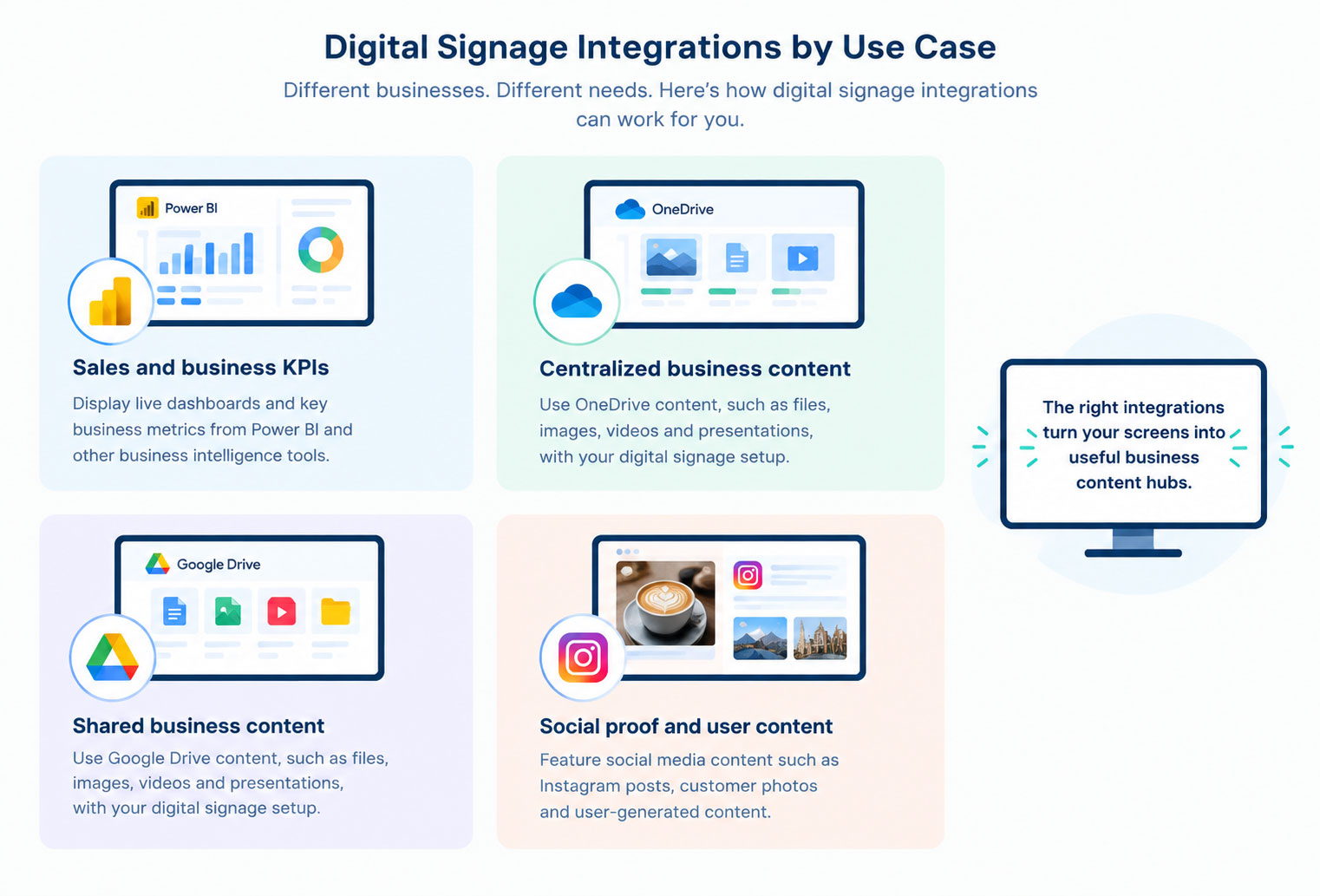
  • A sales team could display a Power BI dashboard on a screen in the office.
  • A business could use content stored in Google Drive as part of its digital signage setup.
  • A company could connect OneDrive content to its screens.
  • A retail brand could show social media content alongside promotional campaigns.

The important part is that the screen and the source can work together.

Instead of managing everything separately, your team can use the systems it already works with and bring relevant content onto digital signage screens.

Why Connect Digital Signage to Your Business Data?

Think about a sales dashboard.

Your sales team already has one. They might check it every morning, during a meeting, or whenever someone asks for an update.

Now imagine that dashboard is on a screen in the office.

Nobody has to open a laptop. Nobody has to send a screenshot to the team WhatsApp group. The numbers are simply there.

That is the real value of connected digital signage.

Less manual work

If information or content changes frequently, manually creating new signage content gets old very quickly.

An integration can take some of that work off your team's plate.

Information stays current

A printed poster can become outdated the moment a price, offer, or piece of information changes.

A connected screen can use information from its source instead.

Your screens become useful beyond advertising

This is particularly important for internal communication.

A screen in a corporate office can show business dashboards or announcements. A retail screen can combine promotions with product information and social content.

The screen becomes part of the business workflow, rather than something that simply plays a playlist.

You can manage information at scale

This matters when you have multiple locations.

Updating one screen manually isn't difficult. Updating 100 screens across 20 cities is another story.

A cloud-based digital signage platform gives teams a central place to manage screens, content, schedules, and updates. Intelisa, for example, is built around centralized screen management, with scheduling, remote updates, screen grouping, custom widgets, and real-time management available through its platform.

1. Power BI Digital Signage Integration

If your company already uses Power BI, you already have a lot of useful information sitting inside dashboards like sales, revenue, marketing performance, operations, inventory, and KPIs.

So why keep that information trapped inside someone's laptop?

A Power BI digital signage integration can bring selected dashboards or reports onto a large display where employees, managers, or customers can see them.

For example, a sales office could have a screen showing:

  • Today's revenue
  • Monthly targets
  • Sales by region
  • Top-performing products
  • Conversion rates
  • Team performance

A manufacturing business could use a similar setup to show production targets, output, or operational KPIs.

The point isn't to put an entire Power BI report on a screen and hope people figure it out. Digital signage works best when you pick the information people need to understand quickly.

How do you display Power BI on digital signage?

A compatible digital signage platform can connect to a Power BI report or dashboard and display the relevant information on a screen. The exact setup depends on the signage platform, Power BI configuration, authentication requirements, and how frequently the data needs to refresh.

For a public-facing screen, you also need to think about permissions and sensitive business information. A dashboard that is perfectly fine for an internal office screen may not be appropriate for a customer-facing display.

2. Google Drive Digital Signage Integration

Your team may already use Google Drive to store and organize business content.

Instead of treating that content as completely separate from your digital signage, an integration can help bring relevant content into your screen network.

Google Drive can be useful for businesses managing content such as:

  • Images
  • Videos
  • Presentations
  • Promotional materials
  • Internal communications
  • Other business content

The benefit is simple: your team can continue using a familiar system for managing content while connecting it with the digital signage workflow.

That can be particularly useful when multiple people are responsible for creating or updating content.

Can Google Drive be used with digital signage?

Yes, when the digital signage platform supports the relevant Google Drive integration and content type.

The exact setup depends on the platform and the content you want to display. The goal is to make it easier to move content from the systems your team already uses to the screens where people need to see it.

3. OneDrive Digital Signage Integration

Many businesses already use Microsoft's ecosystem to store and manage their files.

OneDrive can be another source for content used in a digital signage setup.

For businesses that already manage content through OneDrive, an integration can help connect that existing workflow with their digital screens.

This can be useful for content such as:

  • Images
  • Videos
  • Presentations
  • Promotional materials
  • Internal communications
  • Other business content

Instead of maintaining separate copies of the same content for different systems, businesses can connect their existing content workflow with their digital signage network.

Can OneDrive be used with digital signage?

When supported by the digital signage platform, OneDrive can be used as a source for content displayed on digital signage screens.

The exact setup depends on the platform and the type of content being used.

4. Social Media Integrations

Not every integration has to involve business dashboards or cloud storage.

Social media is another obvious source of fresh content.

For example:

  • A retail store could show Instagram posts alongside product promotions.
  • A restaurant could feature customer-generated content.
  • An event venue could display social media content related to an event.

Fresh content gives people a reason to look at the screen again.

Intelisa supports social media integration, including Instagram, as part of its digital signage platform. Its Pro plan also includes features such as widgets, reporting, split-screen layouts and live streaming. For more, check out our pricing plans.

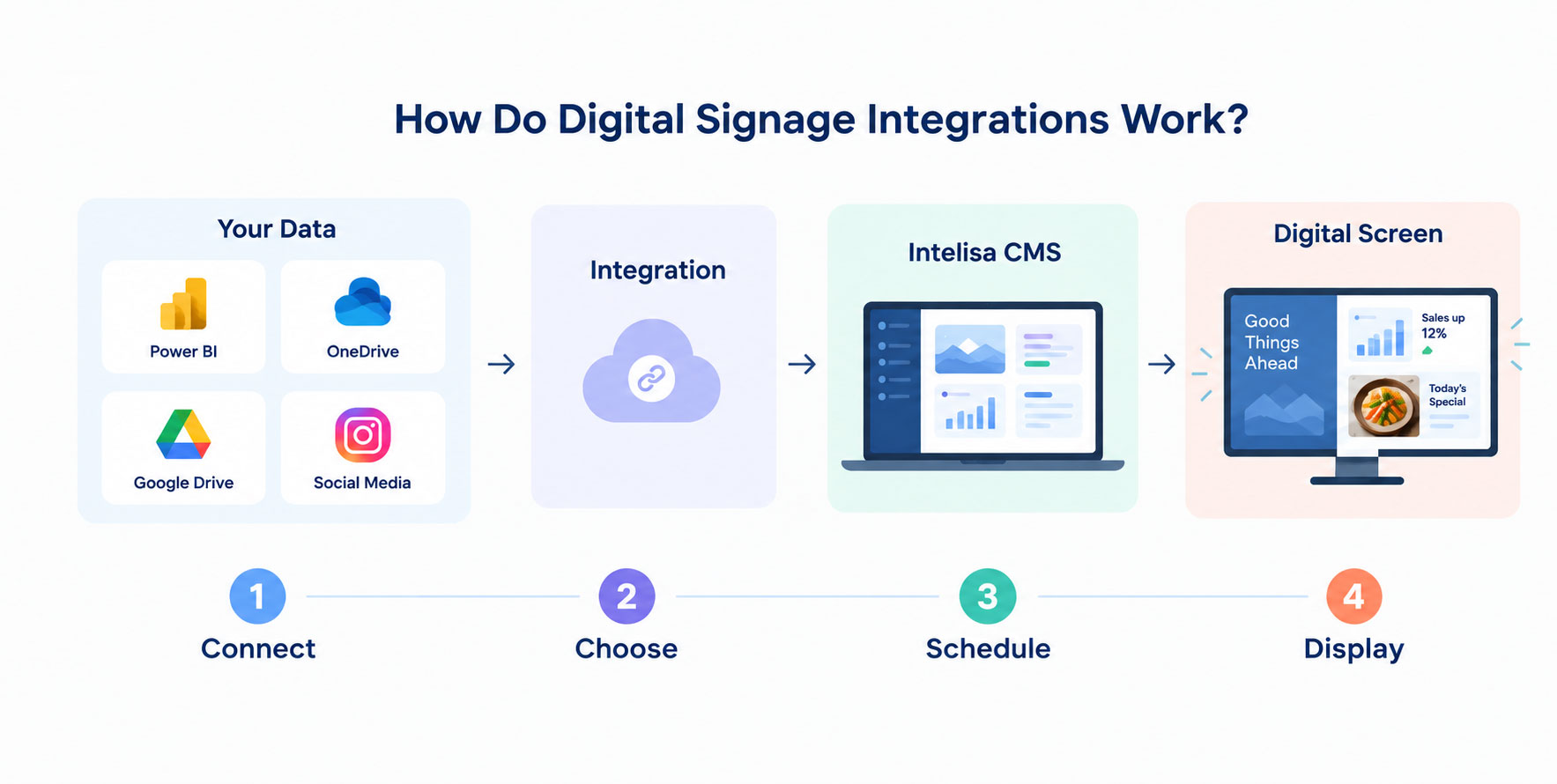
How digital signage integrations work: your data, integration, Intelisa CMS and digital screen — connect, choose, schedule, display

What Can You Do With Digital Signage Integrations?

The use case depends on the business.

  • A retailer might combine promotional content with social media.
  • A corporate office might display business dashboards.
  • A sales team might use Power BI to keep important numbers visible.
  • A business might use cloud-stored content from Google Drive or OneDrive on its screens.
  • An organization might combine several content sources on the same display.

And the same screen can often do more than one of these things.

A split-screen layout could show a business dashboard on one side, social content on another, and promotional content underneath.

That flexibility is one reason digital signage is moving beyond simple posters on screens.

How Do Digital Signage Integrations Work?

The setup will vary depending on the platform, but the process usually looks something like this.

1. Find the source

First, figure out where the information or content currently lives.

Power BI? Google Drive? OneDrive? Social media?

2. Connect it to your signage platform

Use the available integration or other supported connection.

3. Decide what should appear

Don't dump an entire dashboard onto a 55-inch screen.

Pick the metrics, messages, or content that make sense for the audience and viewing distance.

4. Design the screen

Use a layout that can be understood quickly.

This matters because people usually aren't standing in front of a digital sign for five minutes studying it.

5. Schedule and publish

Decide which screens should show the content and when.

A retail chain might show one set of information during opening hours and another after closing. An office might display business KPIs during the workday and announcements at other times.

6. Keep an eye on the network

Once you have multiple screens, monitoring becomes important.

You want to know whether screens are online, whether content is playing correctly, and whether anything needs attention.

This is one area where a centralized digital signage CMS can save a lot of time.

What Should You Look for in Digital Signage Integration Software?

Integrations can look impressive on a feature page. What matters is whether they actually make your day-to-day work easier.

Here are a few things worth checking before choosing digital signage software.

Multiple integration options

Your business might use different platforms for different types of content.

Look for a system that gives you multiple ways to bring information and content onto your screens rather than limiting you to one source.

Custom widgets

This is useful when you want to display information that doesn't fit neatly into a standard template.

Intelisa supports custom widgets as part of its digital signage platform, giving businesses more flexibility in how they display business information and dashboards.

Remote management

If you have 50 screens, you don't want to physically visit 50 screens to change a campaign.

Scheduling

Look for scheduling by date, time, location, screen, or content group.

Offline playback

Internet connections aren't perfect everywhere.

A signage system that can continue playing cached content when the connection drops is much more practical for real-world deployments. Intelisa includes offline playback among its digital signage capabilities.

Permissions and security

This becomes especially important when you're connecting screens to internal business data.

Not everyone who can update a screen should necessarily be able to access every business dashboard.

How Intelisa Fits Into a Connected Digital Signage Setup

How digital signage integrations work: your data, integration, Intelisa CMS and digital screen — connect, choose, schedule, display

The interesting part about integrations is that the integration itself isn't the end goal.

You still need somewhere to manage all that information.

That's where a digital signage CMS comes in.

Intelisa gives businesses a centralized platform for managing their digital screens, with features including scheduling, screen grouping, remote management, custom widgets, social media integration, reporting and offline playback.

So instead of thinking about your setup as:

Screen + Power BIScreen + Google DriveScreen + OneDrive

think of it as:

Business content→Integration→Intelisa→Screen network

That distinction becomes more important as your network grows.

One screen is easy to manage.

Twenty screens are manageable.

Two hundred screens need a system.

Are Digital Signage Integrations Worth It?

If your screen content changes often, connected digital signage can make it easier to keep your displays useful and current.

The strongest use cases are usually businesses where information changes frequently or where employees and customers need to see information without actively looking for it.

Think sales numbers, business dashboards, promotional content, social media, announcements, or other frequently updated information.

The right combination of integrations depends on what your business needs to communicate and where that content already lives.

FAQs

1. What can digital signage integrate with?

Digital signage can connect with platforms and content sources such as Power BI, Google Drive, OneDrive and social media, depending on the digital signage software and the specific integration available.

2. How do I display a Power BI dashboard on digital signage?

You need a digital signage platform that supports Power BI or can display the relevant dashboard through a supported connection. Once connected, you can configure the dashboard or selected information to appear on your digital signage screen.

3. Can Google Drive be used with digital signage?

Yes, when the digital signage platform supports the relevant Google Drive integration and content type. This can help businesses bring content stored in Google Drive into their digital signage workflow.

4. Can OneDrive be used with digital signage?

Yes, when supported by the digital signage platform. OneDrive can serve as a source for content that businesses want to display on their digital signage screens.

5. Can digital signage display social media content?

Yes. Digital signage platforms with social media integrations can display supported social content on screens. This can help businesses keep their displays more current and engaging.

6. Can digital signage display real-time data?

Yes. Digital signage can display live or frequently updated information when it is connected to a suitable data source. How quickly the information refreshes depends on the source and the signage platform.

7. Why integrate digital signage with business dashboards?

It puts important information where people can see it without requiring them to open another application. This can be useful for sales teams, corporate offices, and other environments where quick access to KPIs matters.

8. What should I integrate with digital signage first?

Start with the information or content that changes most often or takes the most effort to update manually. For one business, that might be a Power BI dashboard. For another, it could be promotional content, social media, or content stored in Google Drive or OneDrive.

The Bottom Line

Digital signage doesn't have to be a screen that plays the same playlist all day.

Connect it to the systems your business already uses and it can become a live information point for customers, employees, managers, or visitors.

Power BI can bring business intelligence to the screen. Google Drive and OneDrive can connect existing content workflows with your displays. Social media integrations can keep content fresh and engaging.

The right combination depends on what your business needs to communicate.

And once you move beyond a handful of screens, you'll need a platform that can actually keep everything under control.

That's where Intelisa comes in.

With centralized screen management, scheduling, custom widgets, social integrations, reporting, and offline playback, Intelisa gives businesses a way to manage connected digital signage without turning every content update into a manual task.

Want to see what connected digital signage could look like for your business?

Start a free trial today!
Categories
Digital Signages

Top Digital Signage Companies in India and Worldwide for 2026

Top Digital Signage Companies in India and Worldwide for 2026

A screen on the wall is the easy part. The platform behind it is what decides whether your message goes live in thirty seconds or three days, whether one store looks the same as five hundred, and whether your team enjoys using the system or quietly avoids it. That is why picking the right digital signage company matters far more than picking the screen.

Digital signage in India has moved well past static posters and printed flex boards. From retail and quick service restaurants to hospitals, banking, transport and corporate offices, brands now use dynamic screens to inform, sell, and guide customers in real time. With cloud-based and AI-ready platforms now standard, the real question is not whether you need digital signage, but which provider can actually deliver it reliably at your scale.

This guide compares the best digital signage companies for 2026, both the strongest providers in India and the leading global names, with honest pros and cons for each. By the end you will know which digital signage solution fits your business, your environment and your budget.

Why Choosing the Right Digital Signage Provider Matters

Your digital signage partner is not a one time vendor. They become a long term part of how your business communicates, so the decision deserves real attention. A strong digital signage company gives you more than a content management system. It gives you reliable uptime, simple day to day control, and the room to grow from one screen to a national network without switching platforms.

Here is what separates a good digital signage solution provider from an average one:

  • Higher uptime and fewer technical interruptions on live screens
  • A dashboard simple enough that your own team can run it without training
  • Content control that scales cleanly across locations and screen types
  • Integrations with analytics, social feeds, menus, POS and data sources
  • Local support that understands Indian conditions, bandwidth and languages

Top Digital Signage Companies in India

India has a fast maturing set of digital signage vendors, from cloud first software platforms to LED manufacturers. These are the names worth shortlisting if local support, Indian pricing and on ground deployment matter to you.

1

Intelisa

India and global

Intelisa is an end-to-end digital signage company that brings cloud software, displays, and content together on one platform. What makes it stand out is that it is display agnostic. Whether you run an LCD screen in an office, an LED video wall in a mall, a commercial standee at a store entrance, or a touch kiosk, Intelisa manages content on all of them from a single dashboard. It pairs cloud-based digital signage software with both cloud and on-premises deployment, which is rare in this market and important for businesses with security or data control needs.

Intelisa is built for Indian conditions, with offline playback that keeps screens running when the internet drops, multi location control, scheduling, zones, templates and social media integration. At the same time it powers deployments globally, so growing brands do not outgrow the platform. For most retail, restaurant, mall, hospital and enterprise use cases in India, it offers the strongest balance of reliability, flexibility and local support.

Best for: Multi location retail, QSR, malls, hospitality and enterprise brands that want one platform for every screen

Pros
  • Display agnostic, works on LCD, LED, OLED, standees and video walls
  • Cloud and on premise options for full data control
  • Offline playback so screens never go blank
  • One dashboard for unlimited screens and locations
  • In house hardware plus strong India support and a free trial
Cons
  • Single screen hobby users may not need every advanced feature

One Platform, Every Screen

Intelisa connects to any display through an Android media player, Fire Stick, Windows PC or built in Samsung Smart Signage player, then lets you control everything from one login.

  • Cloud based and on premise CMS
  • Digital standees, video walls and fabricated displays
  • Schedule, zone and update content in real time
  • Works offline with locally cached content
  • Trusted by businesses across India and beyond
Explore Intelisa Solutions
Intelisa digital standee for commercial digital signage in India
2

Pickcel

India

Pickcel is an India based digital signage software provider with a cloud CMS used across several countries. It is known for a large template and widget library, real time content scheduling and video wall support, which makes it a fit for mid and large enterprises running more complex display networks.

Best for: Enterprises with template heavy, multi widget display needs

Pros
  • Wide template and widget library
  • Cloud CMS with video wall support
  • Free trial available
Cons
  • Feature depth can take time for first time users
  • Advanced setups may need onboarding help
3

Xtreme Media

India

Xtreme Media brings years of experience in LED display manufacturing and large format installations. With its own CMS and strong hardware capability, it suits government bodies, banks and large institutions that need video walls and outdoor signage delivered at scale.

Best for: Government and enterprise grade LED and video wall projects

Pros
  • Strong LED and video wall expertise
  • In house CMS and integration support
  • Trusted on large institutional projects
Cons
  • More hardware led than software first
  • Premium pricing can be high for small businesses
4

Scala India

Global with India presence

Scala is a long established global signage platform with an India presence, focused on advanced visual content, advertising applications and deep customisation. Its API ready platform and third party integrations make it popular with agencies and marketing led teams that want creative control.

Best for: Advertising agencies and marketing driven display networks

Pros
  • Highly customisable and API ready
  • Strong visual content and integrations
  • Enterprise grade capability
Cons
  • Steeper learning curve
  • Better suited to medium and large setups
Digital signage menu screen in a cafe managed by a cloud based digital signage company

Cloud based digital signage lets a cafe or retail chain update menus and offers across every screen in seconds

Leading Global Digital Signage Companies

If you operate internationally, or simply want to compare Indian providers against the biggest global names, these platforms shape the worldwide digital signage market. Many of them work in India too, though local support and pricing can vary.

5

ScreenCloud

Global

ScreenCloud is a widely used digital signage platform built for ease of use, security and scale. It connects with everyday tools like Google Slides, Canva, Microsoft Teams and Power BI, and offers a large app store, which makes it a strong pick for corporate and enterprise internal communication.

Best for: Corporate and enterprise communication screens

Pros
  • Very easy to use with many ready apps
  • Strong integrations and enterprise security
  • Hardware agnostic
Cons
  • Subscription cost adds up at large scale
  • Hardware is usually separate
6

Yodeck

Global

Yodeck is an affordable, plug and play digital signage solution popular with small and medium businesses worldwide. It ships pre configured media players, hundreds of free templates and a simple drag and drop editor, so screens can go live almost out of the box.

Best for: Budget conscious small and medium businesses

Pros
  • Affordable and quick to set up
  • Plug and play players and many templates
  • Strong support resources
Cons
  • Deep enterprise features are more limited
  • Best for simpler networks
7

NoviSign

Global

NoviSign is an award winning digital signage software platform powering tens of thousands of screens worldwide. Its drag and drop studio, large template set and support for interactive touchscreens and wayfinding make it a good choice for businesses that want engaging, interactive content.

Best for: Interactive, touchscreen and wayfinding content

Pros
  • Easy studio with hundreds of templates
  • Strong interactive and touchscreen support
  • Hardware agnostic with offline playback
Cons
  • Power users may want deeper data integrations
  • Local India support depends on partners
8

BrightSign

Global

BrightSign is the global leader in digital signage media players. Rather than a pure software story, its strength is rock solid solid state players running a purpose built operating system, trusted for high uptime in retail, transport, museums and public spaces.

Best for: High reliability player driven deployments

Pros
  • Industry leading, reliable media players
  • Secure, purpose built operating system
  • Excellent longevity and uptime
Cons
  • Primarily a hardware and player ecosystem
  • Pairs best with its own devices
9

Samsung VXT

Global

Samsung VXT is the cloud signage platform that runs natively on Samsung Smart Signage displays through their built in player. For businesses that already buy Samsung commercial screens, it removes the need for an external media player and keeps everything in one ecosystem.

Best for: Businesses standardising on Samsung Smart Signage

Pros
  • Runs on the screen with no extra player
  • Tight integration with Samsung displays
  • Clean, modern interface
Cons
  • Best value only with Samsung hardware
  • Less flexible across mixed screen brands
10

Xibo

Global

Xibo is a leading open source digital signage platform that can be self hosted or run on Xibo cloud hosting. With a flexible CMS and a very large global install base, it appeals to technical teams that want full control and the option to host their own system.

Best for: Technical teams wanting open source control

Pros
  • Flexible open source CMS
  • Self hosted or cloud hosted options
  • Huge worldwide install base
Cons
  • Self hosting needs technical resources
  • Setup is less plug and play

The Digital Signage Market in 2026

Adoption is accelerating across India and the world. Screens are now a core marketing and communication channel, not a nice to have, and the numbers behind that shift explain why so many businesses are evaluating digital signage companies this year.

20%+ Annual growth of digital out of home advertising in India
$30B+ Projected global digital signage market size by 2030
3x More attention earned by motion and video over static boards

Key Features to Look for in a Digital Signage Company

Company names only get you so far. Before you commit, check that the platform delivers on the functionality that actually keeps screens useful over the long run.

Essential

Content Management System

The CMS is the foundation. It should let you upload and schedule content easily, manage playlists and templates, and track how each screen is performing without technical headaches.

Essential

Cloud Based Access

A cloud based digital signage software platform lets you control content from anywhere, which is non negotiable the moment you run more than one location.

Important

Real Time Updates

Promotions, events and urgent notices should go live instantly or on a schedule, not after a manual visit to each screen.

Important

Multi Screen Control

If you plan to scale, insist on managing many screens and locations from one dashboard, with grouping and permissions.

Technical

Integrations

Look for connections to social feeds, weather, POS, menus, dashboards and tools like Google Drive, so content stays dynamic and automated.

Technical

Offline Reliability

Screens should keep playing cached content if the internet drops. Offline playback is essential for Indian retail and transport conditions.

How to Choose the Right Digital Signage Provider

The best digital signage company for someone else may be wrong for you. Work through these four steps to match a provider to your real needs.

1

Define your signage goal

Decide what the screens must do. A retail store may want promotional displays, a hospital may prioritise queue and information screens, and an office may need internal dashboards.

2

Evaluate the CMS and hardware fit

Check that the CMS is easy to use, handles multiple screens across locations, and works with the displays and players you already own or plan to buy.

3

Compare pricing and support clarity

Make sure pricing covers setup, updates and support. Ask about response times, onboarding and whether support hours match your business hours.

4

Test before you commit

Request a free trial or demo. Judge ease of use, loading speed and how well it runs on your existing screens before signing anything.

Benefits of Digital Signage for Business

Whichever provider you choose, moving from static signage to digital screens delivers real, measurable gains for an Indian business.

  • More engagement: moving visuals and video attract far more attention than printed posters
  • Dynamic content: change menus, offers and messages anytime, with no reprinting cost
  • Affordable advertising: after the hardware is in place, updates cost almost nothing
  • Real time messaging: push a flash sale, alert or update across every screen instantly
  • Central control: manage one screen or hundreds from a single login

One Platform for Every Screen You Run

From a single display to a network across India and beyond, Intelisa manages LCD, LED, standees and video walls from one dashboard. Try it free and see the difference.

Start Your Free Trial

Frequently Asked Questions

What is the difference between a digital signage company and digital signage software?

Digital signage software is the content management system used to schedule and display content. A full digital signage company also provides the displays, media players, installation and support around that software. Intelisa is an end to end provider, offering both the cloud CMS and the hardware, so businesses can deploy from one partner.

How much does digital signage software cost in India?

Pricing depends on the number of screens, the software plan, and whether you need hardware like standees or video walls. Many cloud based digital signage providers, including Intelisa, offer affordable monthly plans and free trials, so small businesses can start without a large upfront cost and scale as they grow.

Can one digital signage platform manage screens across multiple locations?

Yes. A good cloud based platform lets you control screens in different cities from a single dashboard. With Intelisa you can group screens by location, schedule content, push updates in real time and monitor every display remotely, which is ideal for retail chains, franchises and enterprises.

Do digital signage screens keep working without internet?

With offline playback, yes. Content is cached locally on the media player, so if the connection drops the screen keeps playing its scheduled content without interruption. Intelisa supports offline playback across display types, which is important for Indian retail and transport environments where connectivity can be unstable.

Which industries use digital signage the most?

Retail stores, restaurants and quick service chains, malls, hospitals, banks, hotels, schools, airports and corporate offices are the heaviest users of digital signage. Each uses it differently, from menu boards and promotions to wayfinding, queue management and internal communication.

How do I choose between an Indian and a global digital signage provider?

Global platforms can be strong on features, but local support, Indian pricing, language handling and on ground installation often matter more for day to day reliability. A provider like Intelisa that has deep India presence along with global deployment capability gives you the best of both, local support with the ability to scale internationally.

Find the Right Digital Signage Setup for Your Business

Tell us your use case, your environment and your budget. We will recommend the right screens and show you how Intelisa manages them all.

Visit Intelisa.in
I
Intelisa Content Team

The Intelisa team writes about digital signage, display technology and smart communication for businesses across India and beyond. Questions? Write to us at info@intelisa.in

Categories
Digital Signages

25 Digital Signage Examples That Turn Heads in 2026

In a world where attention spans are shrinking, screens still win.

Studies show that digital signage captures 400% more views than static displays and achieves an 83% recall rate among viewers, making it one of the most effective visual communication tools for modern businesses.

That’s exactly why brands across retail, hospitality, healthcare, and transportation are investing heavily in smarter, more dynamic displays.

But digital signage in 2026 is no longer just a screen on a wall.

From AI-powered menu boards that adapt to weather to smart mirrors that recommend outfits in real time, digital signage has evolved significantly.

So what does great digital signage look like in 2026?

Here are 25 examples that are shaping the future.

Retail digital signage examples

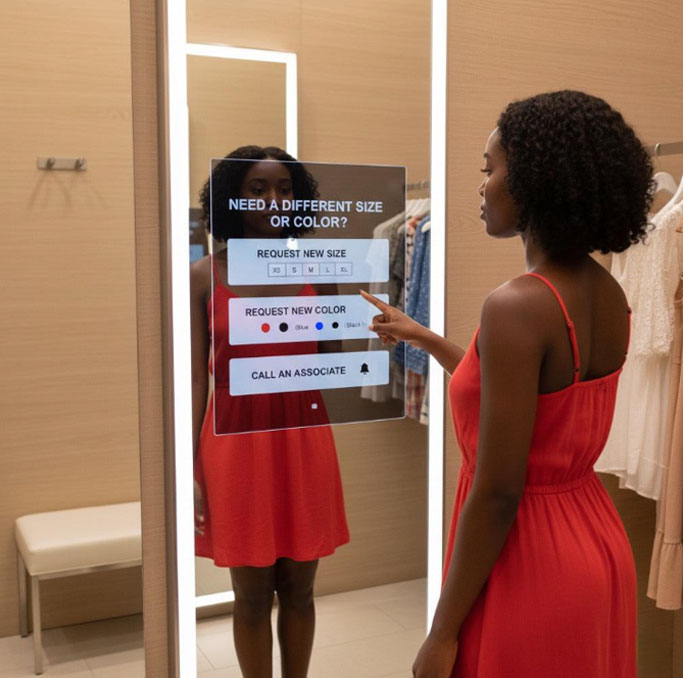
Smart fitting room mirrors

Imagine trying on a jacket and seeing styling recommendations instantly.

Smart mirrors combine RFID tags and AI to identify what customers bring into the room and suggest matching items.

smart-fitting-room-mirrors

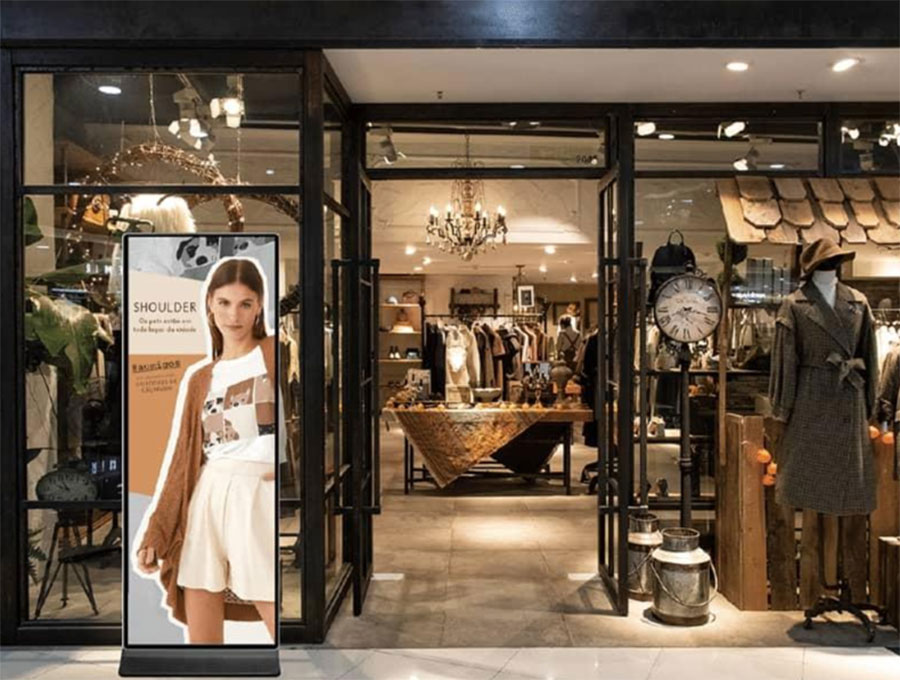
2. Personalized storefront displays

Using sensors and audience analytics, brands can change content based on age group, weather, or time of day.

A rainy afternoon?
Show umbrellas.
Sunny weekend?
Push summer collections.

storefront-displays

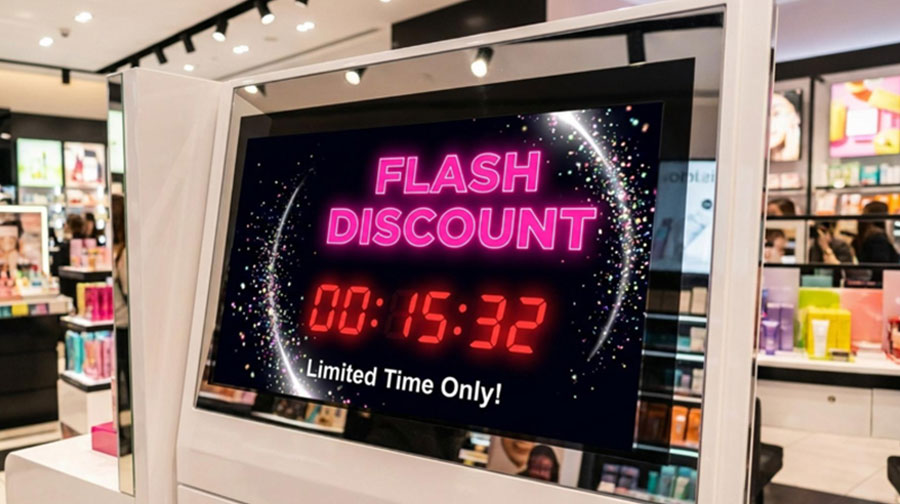
3. Flash sale countdown screens

Urgency sells and retailers now use real-time countdown displays to create FOMO around limited deals.

flash-sale-countdown-screens

4. Interactive product catalogs

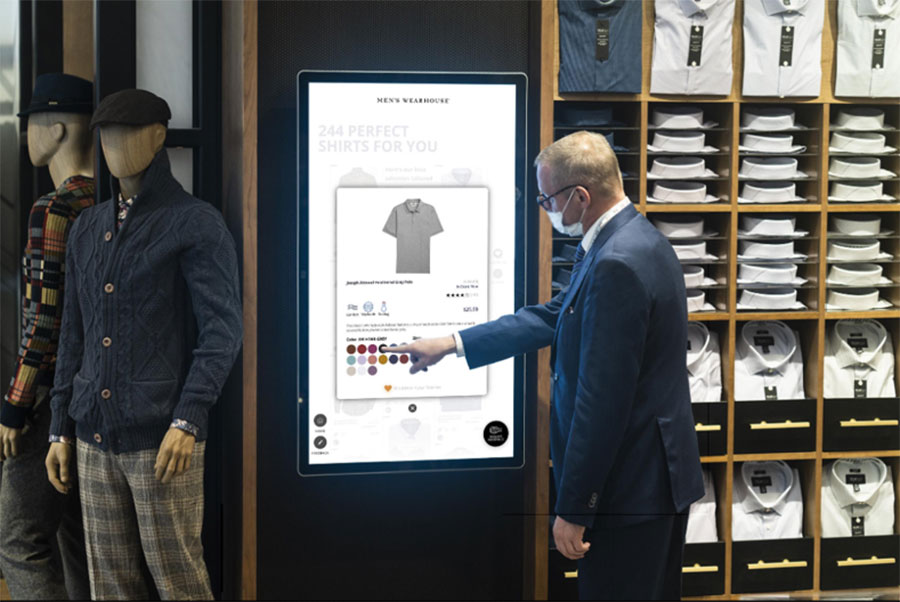
Touch-enabled displays let customers browse entire inventories without staff assistance.

Perfect for furniture, fashion, and electronics.

interactive-product-catalogs

5. RFID-triggered storytelling displays

Pick up a sneaker, and the screen beside it starts showing the product story.

This bridges physical browsing with digital storytelling.

rfid-triggered-storytelling-displays

Restaurant and hospitality digital signage examples

6. Dynamic menu boards

Restaurant digital menus now change automatically by time.

Breakfast at 8.
Lunch at 1.
Dinner at 8.

dynamic-menu-boards

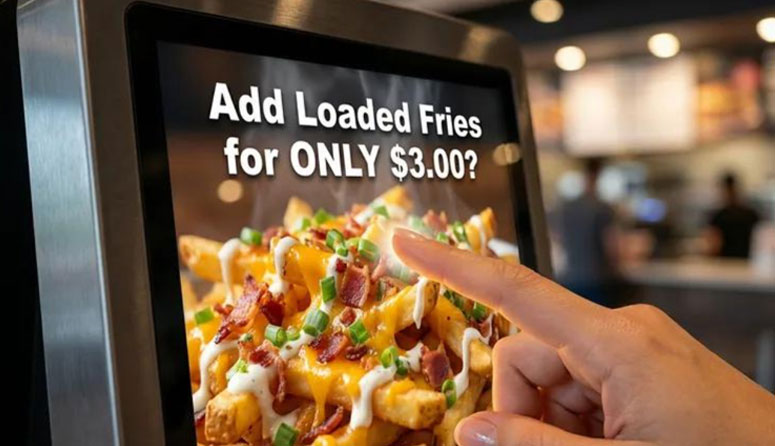
7. AI-powered upsell screens

Ordering fries?
The system recommends a drink based on historical buying patterns.

Brands like McDonald’s have already experimented heavily with this.

AI-powered-upsell-screens

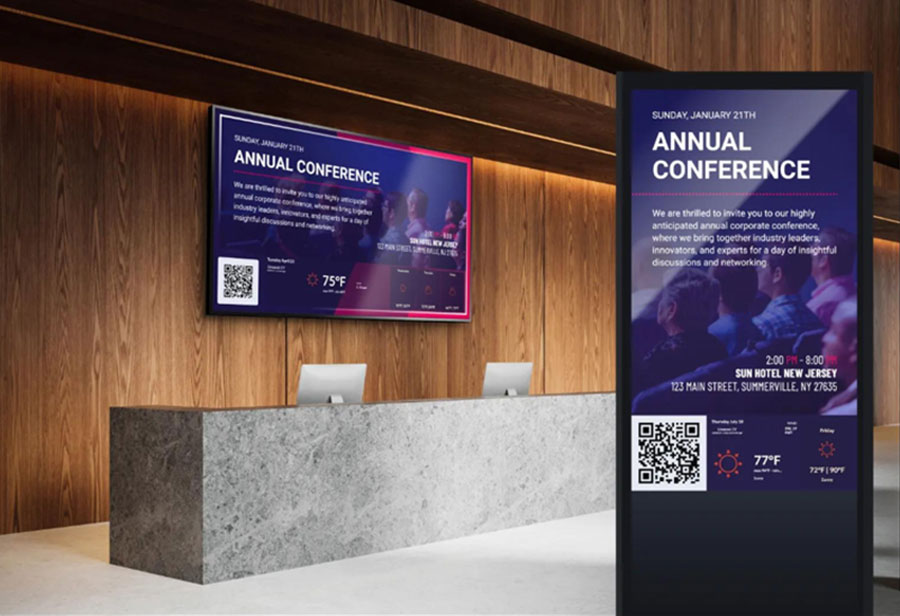
8. Hotel lobby event boards

Hotels now use live event boards to display conferences, weather, and local attractions.

It improves guest experience immediately.

hotel-lobby-event-boards

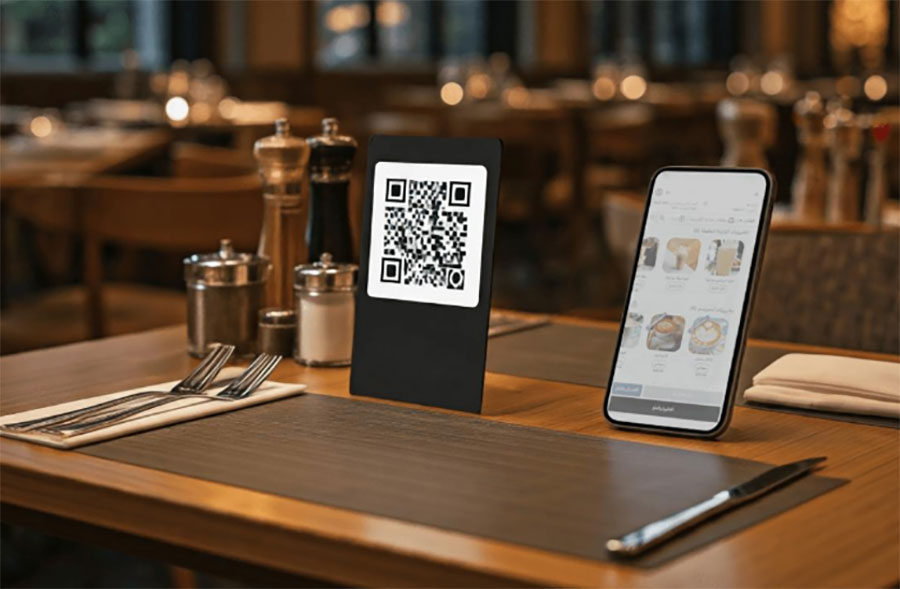
9. QR-integrated table displays

Hybrid dining is huge.

Guests scan, browse, and pay from interactive tabletop signage.

qr-integrated-table-displays

Corporate digital signage examples

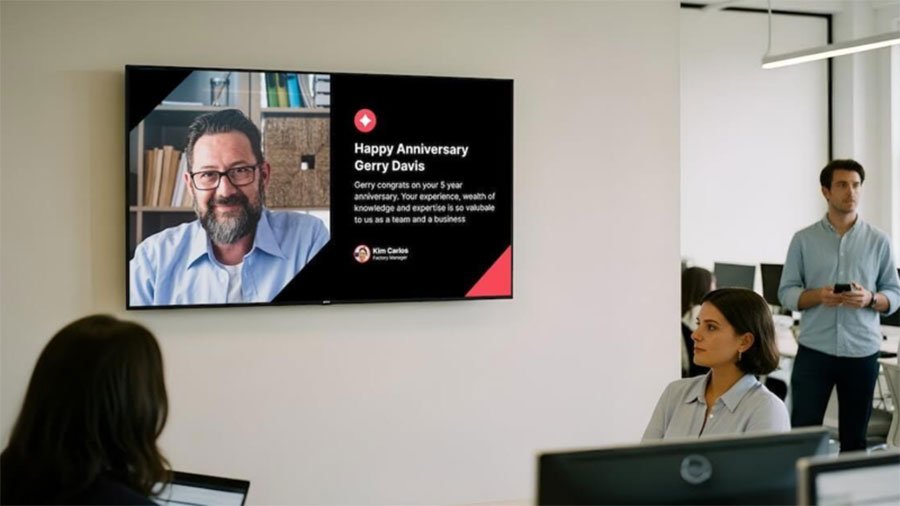
10. Employee recognition walls

Live digital boards celebrating achievements.

These boost morale and workplace culture.

employee-recognition-walls

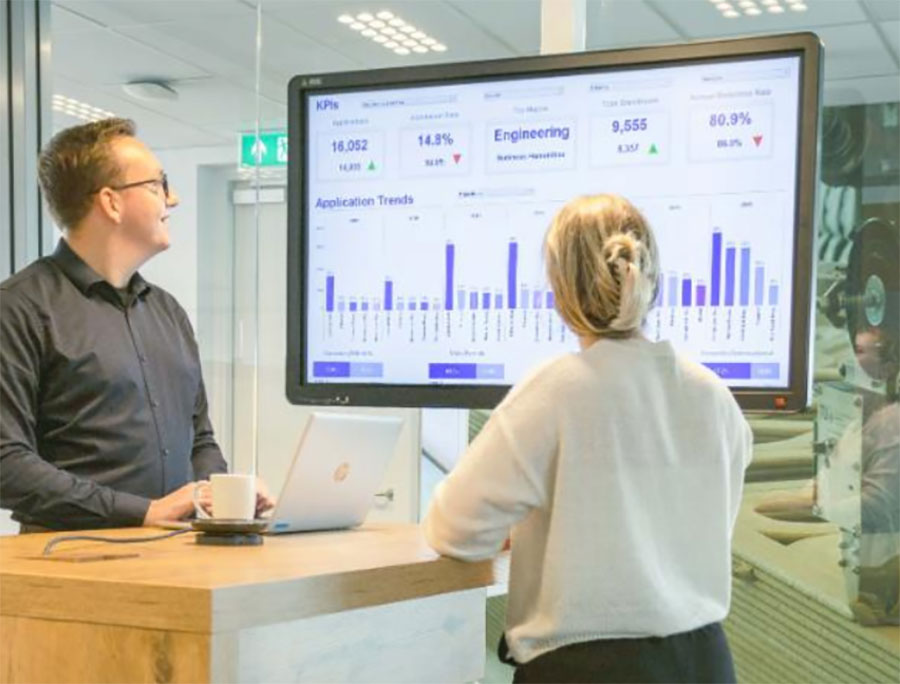
11. Real-time KPI dashboards

Companies like Tesla and Amazon use live dashboards to visualize performance.

real-time-kpi-dashboards

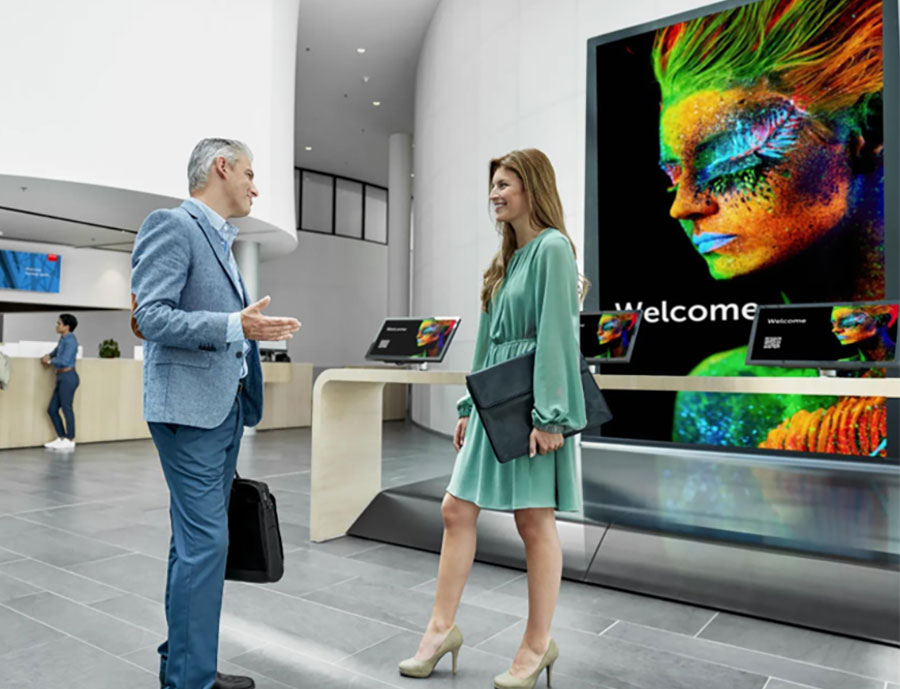
12. Visitor welcome displays

Personalized welcome screens in office lobbies make first impressions stronger.

visitor-welcome-displays

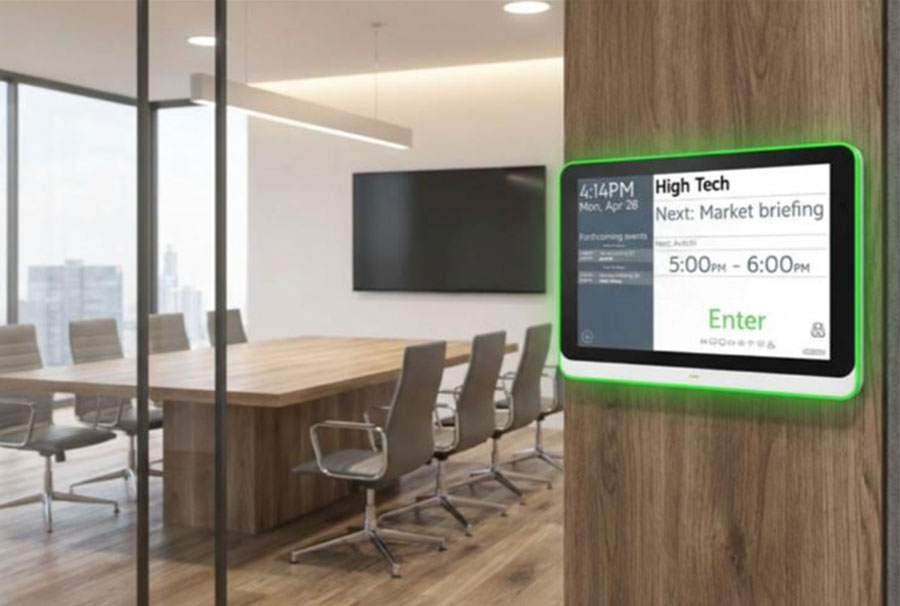
13. Meeting room booking displays

Screens outside rooms showing availability reduce confusion.

room-booking-displays

Healthcare digital signage examples

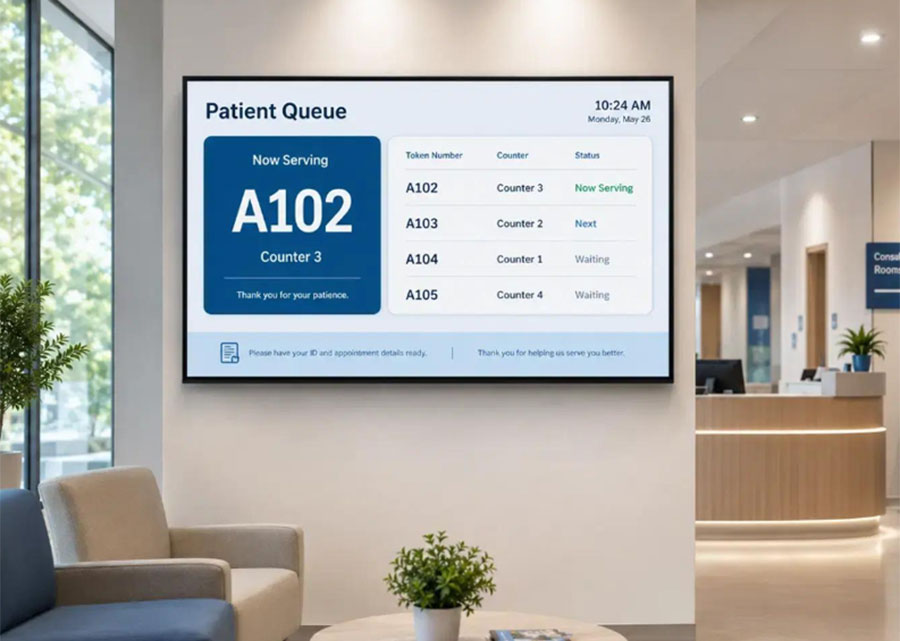
14. Queue management screens

Nobody likes uncertainty. So live queue boards reduce anxiety.

queue-management-screens

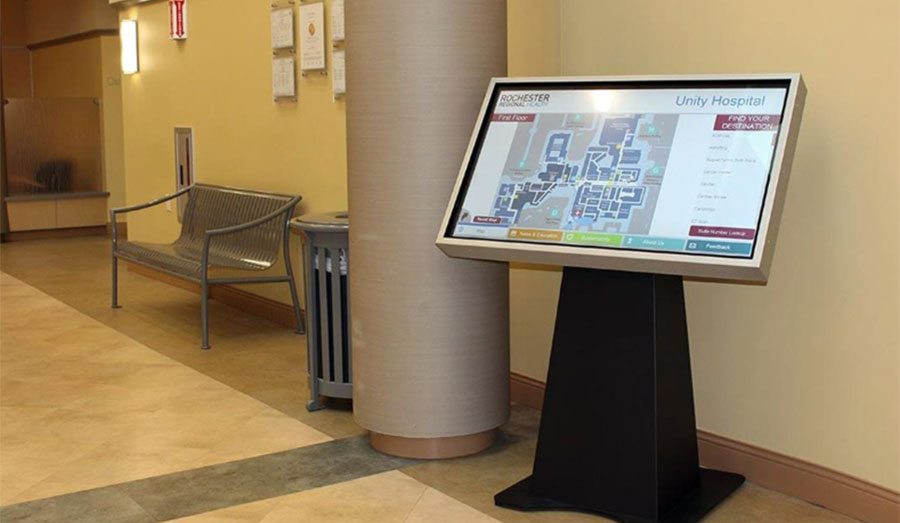
15. Hospital wayfinding kiosks

Large hospitals are hard to navigate and interactive maps solve that.

hospital-wayfinding-kiosks

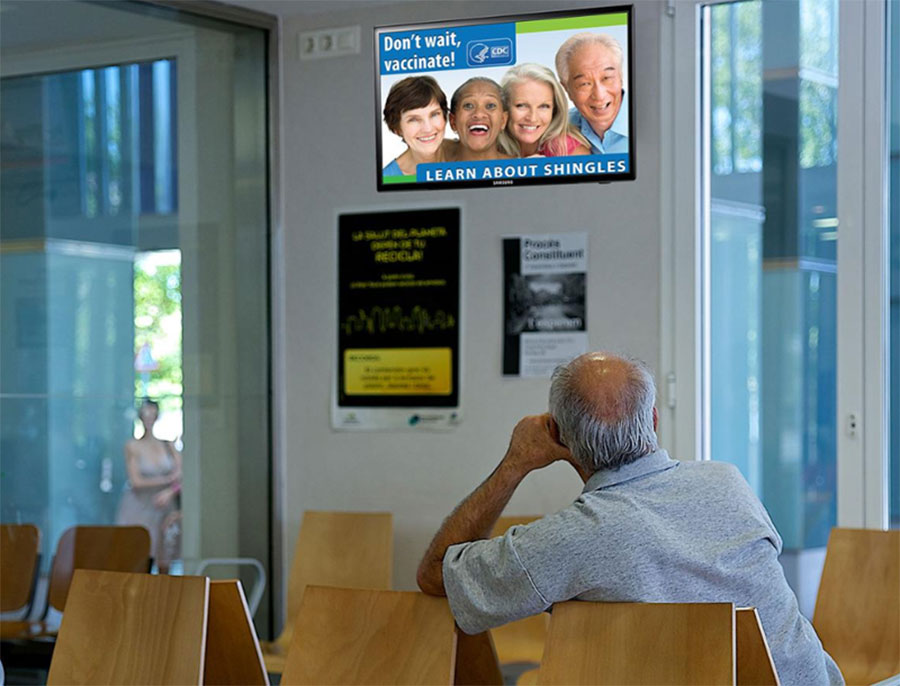
16. Wellness education boards

Waiting rooms now educate patients through short, engaging videos.

wellness-education-boards

Education digital signage examples

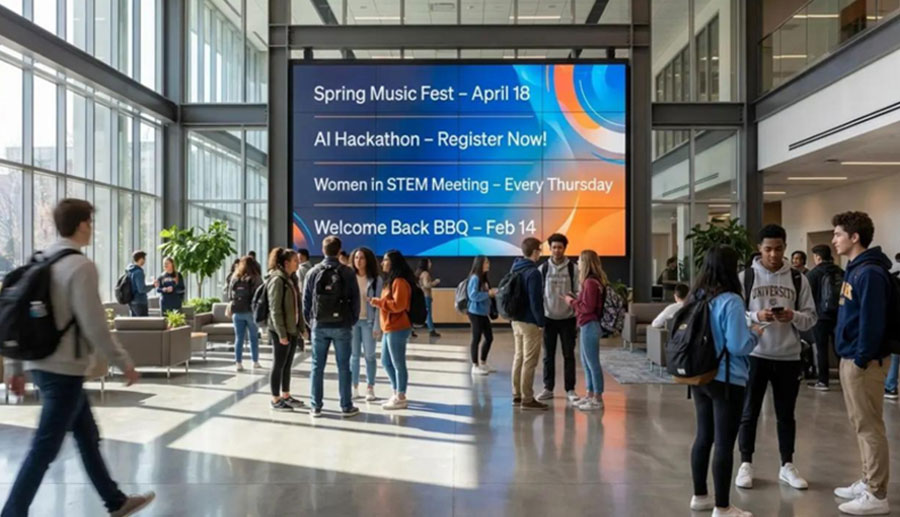
17. Campus event boards

Universities use live boards for workshops, club events, and deadlines.

campus-event-boards

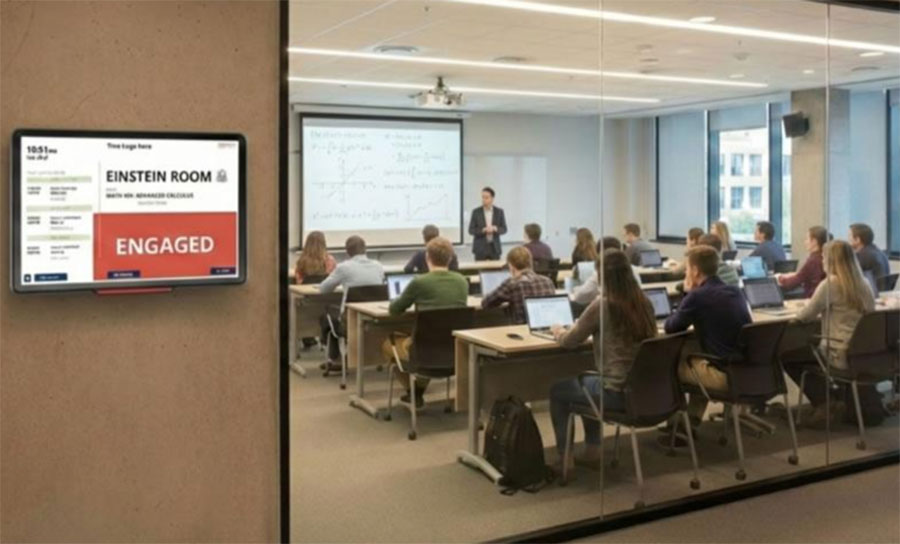
18. Classroom occupancy screens

Students can check room usage in real time and make adjustments to their schedule accordingly.

classroom-occupancy-screens

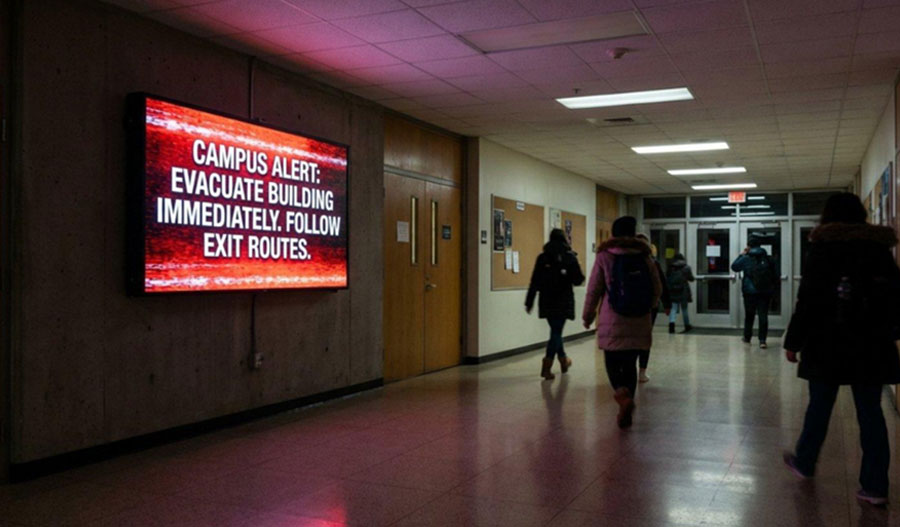
19. Emergency alert displays

These types of alerts are critical for safety. Fast, visible, and impossible to miss.

emergency-alert-displays

Transportation digital signage examples

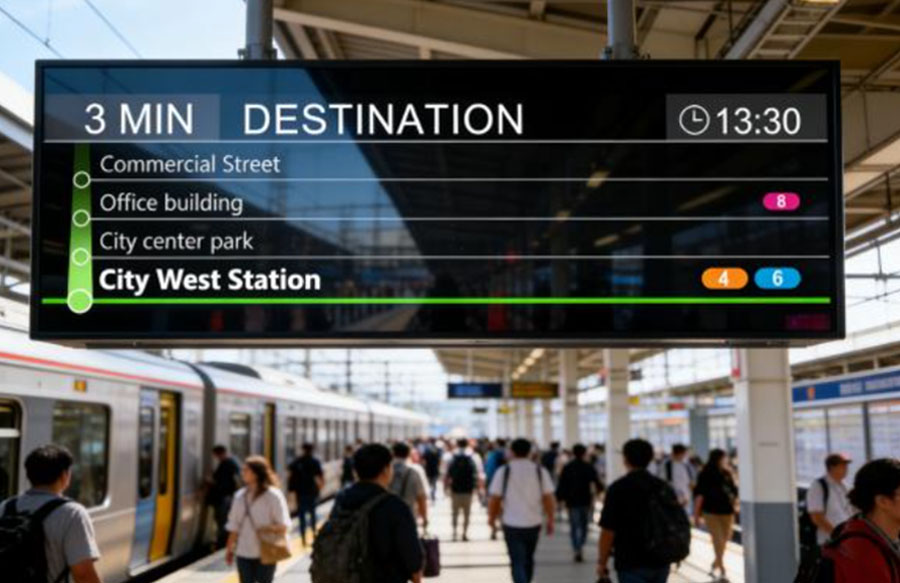
20. Live transit updates

Buses, trains, and metros rely heavily on this.

live-transit-updates

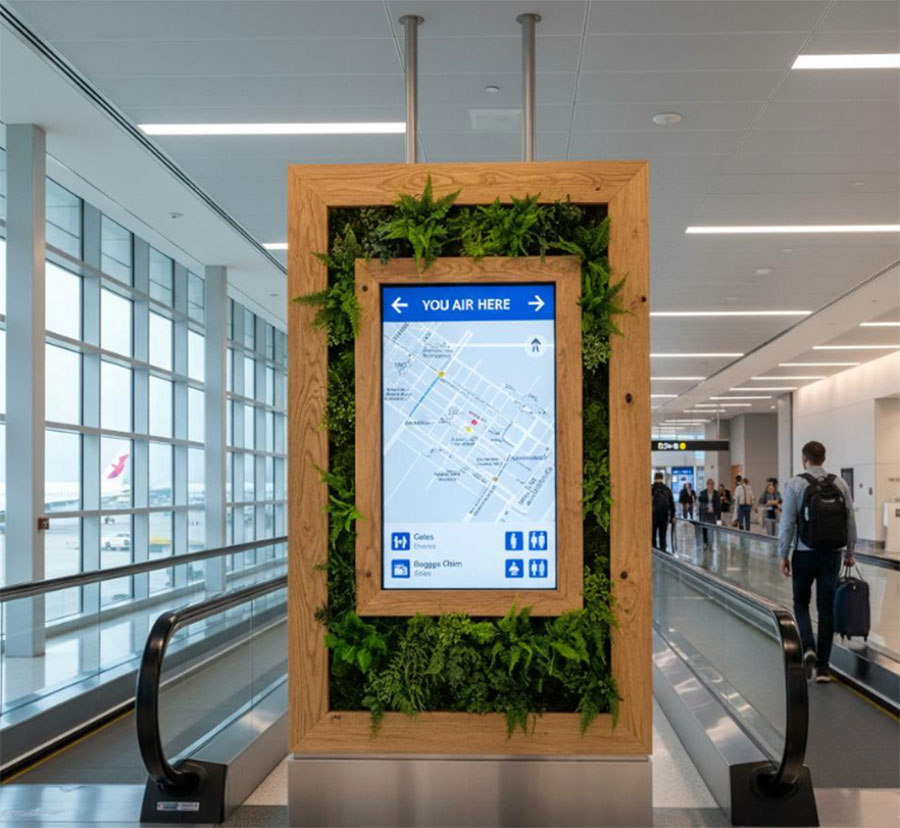
21. Airport navigation screens

Airports like Changi Airport use advanced digital wayfinding.

airport-navigation-screens

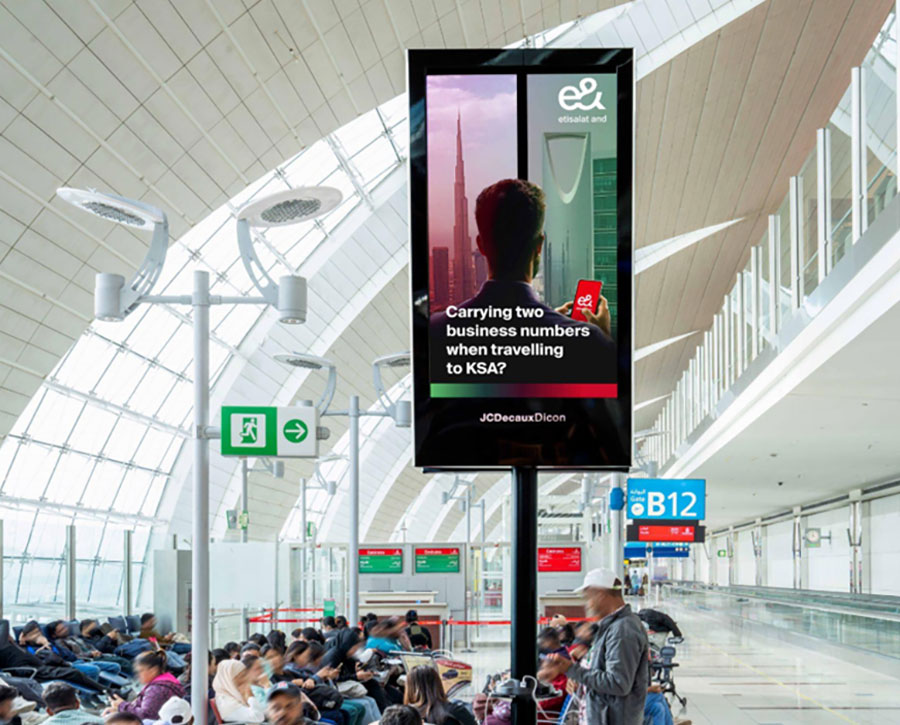
22. Gate-specific personalized ads

Airports are becoming highly targeted ad spaces.

Flight to Paris?
Luxury ads.

Family destination?
Theme park offers.

gate-specific-personalized-ads

Entertainment and event signage examples

23. Interactive concert walls

Fans engage with live polls, messages, and branded content.

24. Stadium fan engagement screens

Teams like Golden State Warriors use giant screens for crowd interaction.

stadium-fan-engagement-screens

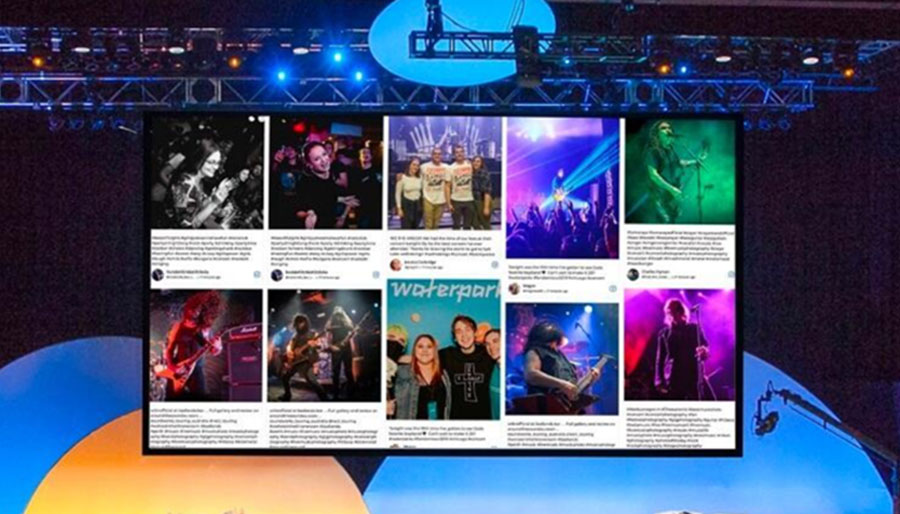
25. Social media live-feed walls

User-generated content creates instant community.

This is huge for festivals and conferences.

social-media-live-feed-walls

Trends shaping digital signage in 2026

  • AI-generated content with platforms from NVIDIA
  • Edge computing via Intel
  • Smart display ecosystems from Samsung
  • Commercial display innovation from LG
  • Programmatic ad delivery with Google

These technologies are making signage smarter, faster, and more personalized than ever.

Final thoughts

Digital signage in 2026 is about creating unforgettable experiences.

The best examples show information while making it super interactive and fun.

Whether you’re in retail, healthcare, hospitality, education, or events, digital signage is no longer optional, it’s part of how modern brands communicate.

But building that kind of signage strategy takes more than good design. It requires the right technology, the right content, and the ability to adapt in real time.

That’s where Intelisa comes in.

Whether you’re looking to power dynamic retail displays, interactive kiosks, corporate dashboards, or personalized customer experiences, it helps you build digital signage that’s built for how people engage today.

If you’re ready to turn screens into high-impact touchpoints, book a free trial today!

Categories
Digital Signages

LCD, LED, OLED, MicroLED: The Complete Display Technologies Guide for 2026

A screen is a screen, right? Not quite. When a retail store owner in Mumbai asks for a display for their shop entrance, the answer is very different from what a hospital in Hyderabad needs or what a billboard company in Delhi requires. Every space, every environment, and every budget points to a different display technology.

This guide explains every major display technology in plain language, how they compare, and which one makes sense for different business situations in India. By the end, you will know exactly what to ask for and what to avoid.

What Is Display Technology?

Display technology refers to the collection of methods and engineering used to generate visual output on screens. This includes everything from the 43-inch standee at a retail store entrance to the massive LED billboard on a highway to the monitor on a doctor's desk in a clinic.

Every screen uses one of a small number of core technologies to produce light and form an image. Understanding these technologies helps you make smarter decisions about which screen to buy for your business, how long it will last, and whether it will actually perform well in your specific environment.

"Intelisa's digital signage platform is display agnostic. Whether you are using an LCD screen in your office, an LED video wall in your mall, or a commercial standee at your store entrance, Intelisa manages content across all of them from one dashboard." Intelisa Product Team
60%+ New smartphones now ship with OLED panels
$100B Global flat panel display market in 2025
20%+ Annual DOOH growth rate in India

How Display Technology Has Changed Over the Years

Understanding where displays came from helps you appreciate why today's screens are so much better for business use. The shift has been dramatic.

Early 1900s to 1990s

CRT (Cathode Ray Tube) Displays

The original television and monitor technology. CRT screens used an electron beam to light up phosphors on a glass tube. They were heavy, thick, power-hungry, and produced a lot of heat. A 27-inch CRT weighed over 30 kilograms. These are now completely obsolete for commercial use.

Late 1990s to 2000s

Plasma Display Panels

Plasma screens used tiny gas cells to produce light and offered excellent color accuracy and wide viewing angles. They were popular for large home TVs. However, they were heavy, prone to screen burn-in, and consumed a lot of power. Plasma displays are no longer manufactured.

2000s to Present

LCD Flat Panel Displays

LCD technology changed everything. Slim, light, affordable, and energy-efficient, LCD screens became the default choice for TVs, monitors, laptops, and commercial displays worldwide. LCD remains the most widely used display technology in Indian businesses today.

2010s to Present

LED and OLED Displays

LED displays replaced fluorescent backlights with LED light sources, making screens brighter, thinner, and more durable. OLED took things further by making each pixel emit its own light, enabling perfect blacks, deeper contrast, and significantly thinner panels.

2020s and Beyond

MicroLED, QLED, and Transparent Displays

The current frontier. MicroLED combines the brightness of LED with the pixel-level control of OLED. QLED uses quantum dots to achieve wider color ranges. Transparent OLED creates see-through displays used in luxury retail and automotive applications.
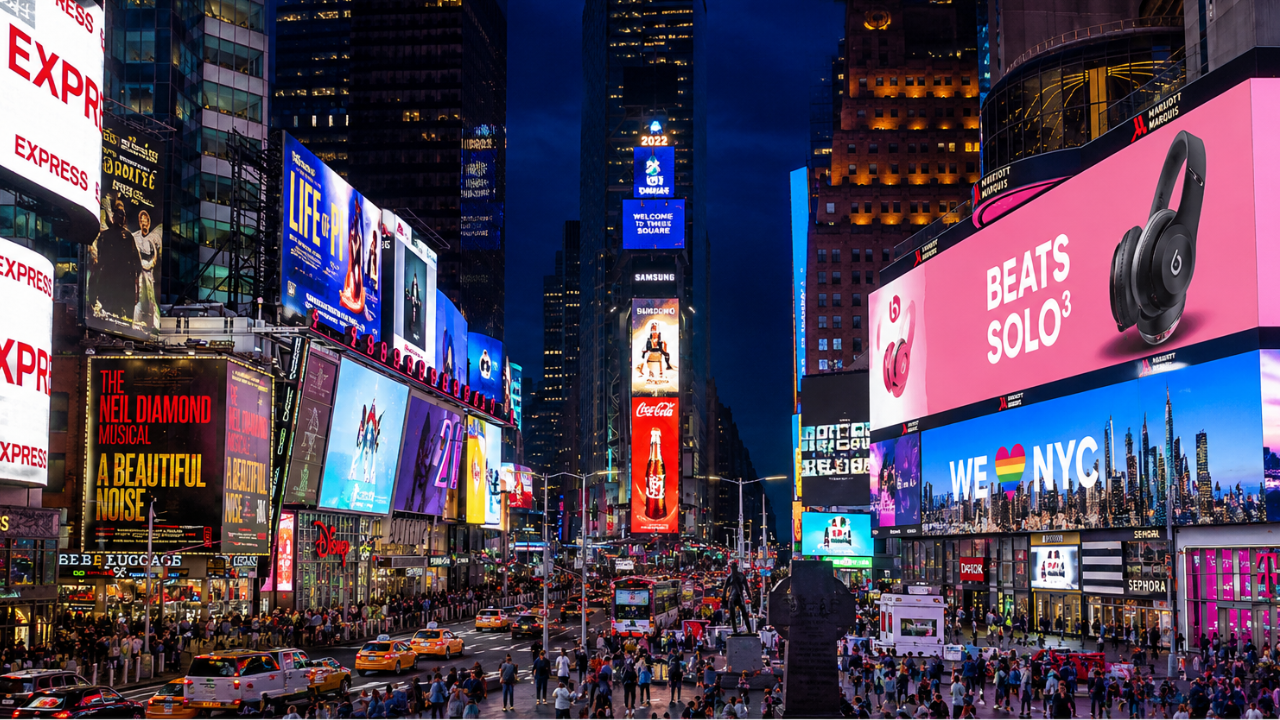
Large outdoor LED display screen managed by Intelisa digital signage

Large outdoor LED display screens at Times Square, New York - a well known example of modular LED technology

Two Fundamental Categories of Display Technology

Before diving into individual technologies, it helps to understand that all displays fall into one of two broad categories. This distinction matters a great deal for commercial use.

Self-Emissive Displays

These screens generate their own light at the pixel level. Each pixel produces its own light without needing a separate backlight. Examples include OLED, MicroLED, Plasma, and QLED. They typically deliver deeper blacks, higher contrast, and wider viewing angles. They are generally more expensive but deliver superior image quality.

Light-Inducing Displays

These screens need an external backlight or ambient light to function. Examples include LCD, TFT-LCD, IPS, VA, and E-Ink. The backlight shines through or reflects off layers that form the image. They are more affordable and well-suited for most commercial environments in India. LCD is the dominant type in this category.

Self-Emissive Display Technologies

These are the premium end of the display technology spectrum. Each pixel produces its own light, which removes the need for a separate backlight and unlocks significantly better image quality.

OLED (Organic Light Emitting Diode)

OLED is currently the most commercially successful self-emissive technology. Each pixel in an OLED screen contains organic compounds that emit light when an electric current passes through them. When a pixel needs to be black, it simply turns off. This delivers true blacks and infinite contrast ratios that no backlit display can match.

Over 60 percent of new smartphones shipped globally now use OLED panels. In commercial display applications, OLED is used in premium retail showrooms, luxury hotels, broadcast studios, and high-end corporate lobbies where the visual impact needs to be exceptional.

Key Characteristics

  • True blacks with infinite contrast ratio
  • Extremely thin and lightweight panels
  • Wide viewing angles with no color shift
  • Fast response times, ideal for video content
  • Higher cost per inch compared to LCD
  • Risk of image burn-in with static content displayed for long hours

MicroLED

MicroLED is the next step after OLED. Instead of organic compounds, it uses microscopic inorganic LED modules for each pixel. This gives MicroLED the pixel-level light control of OLED but with significantly higher brightness, longer lifespan, and no burn-in risk. MicroLED panels can achieve brightness levels above 1,000 nits, making them suitable for well-lit commercial environments where OLED would struggle.

MicroLED is currently used in ultra-premium applications such as Samsung's "The Wall" video installations and Apple Watch displays. As manufacturing costs come down, MicroLED will likely become the leading technology for large commercial video walls in India over the next five to seven years.

Key Characteristics

  • Highest brightness among self-emissive displays
  • No burn-in risk (inorganic materials)
  • Very long lifespan, 100,000+ hours
  • Modular construction allows any screen size or shape
  • Currently expensive, suitable for premium installations

QLED (Quantum Dot LED)

QLED is technically an enhanced LCD technology rather than a true self-emissive display, though it is often marketed alongside OLED. QLED uses a layer of quantum dots, microscopic semiconductor particles, to convert blue LED backlight into more accurate red and green light. The result is a wider color gamut and higher brightness than standard LCD displays without the cost of OLED.

In commercial terms, QLED displays are excellent for retail environments with bright ambient lighting where the extra color saturation and brightness make promotional content look vibrant and attractive.

Light-Inducing Display Technologies: The LCD Family

LCD and its variants remain the backbone of commercial display installations worldwide, including India. Understanding the differences between LCD subtypes helps you choose the right panel for your specific use case.
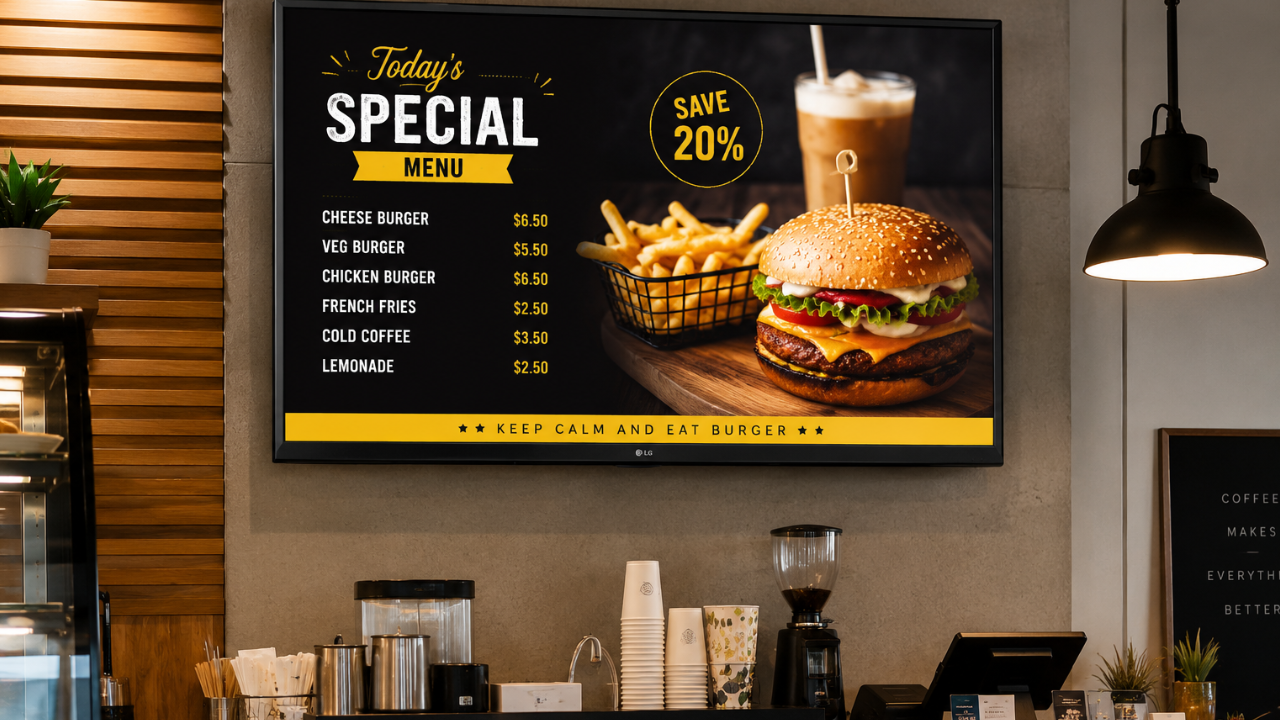
Simple LCD television screen used as a digital signage display for business

Standard television screens with LCD technology are a low-cost entry point for digital signage in smaller businesses

Standard LCD (Liquid Crystal Display)

An LCD screen uses liquid crystal cells sandwiched between two polarized glass layers. A backlight (fluorescent or LED) illuminates the panel from behind, and the liquid crystals act as tiny shutters that allow or block light to form the image. LCD is the most widely used display technology in India for commercial applications because of its affordability, reliability, and range of available sizes.

TFT-LCD (Thin-Film Transistor LCD)

TFT-LCD is an improvement on standard LCD. Each pixel is controlled by a dedicated thin-film transistor, which allows much more precise control over individual pixels. The result is sharper images, better color reproduction, and faster response times. Virtually all modern LCD screens used in commercial digital signage are TFT-LCD panels.

IPS LCD (In-Plane Switching)

IPS is a variant of TFT-LCD where the liquid crystal molecules align horizontally rather than twisting. This gives IPS panels their most important advantage: excellent viewing angles. You can view an IPS screen from almost any angle without the colors shifting or the image washing out. IPS panels are the preferred choice for queue management screens, reception displays, and any situation where multiple people view the screen from different positions.

Key Characteristics of IPS

  • 178-degree viewing angles both horizontally and vertically
  • Accurate and consistent color reproduction
  • Better for bright, well-lit environments
  • Slightly slower response time than TN panels
  • Preferred for professional, medical, and signage applications

VA LCD (Vertical Alignment)

VA panels align liquid crystals vertically when no voltage is applied. This produces deeper blacks and higher contrast ratios than IPS panels, making VA a good choice for video walls and large display installations where image depth and richness matter. The tradeoff is slightly narrower viewing angles compared to IPS.

TN LCD (Twisted Nematic)

TN panels are the oldest and most basic LCD type. They have faster response times than IPS or VA but significantly worse color accuracy and very poor viewing angles. TN panels are primarily used in entry-level computer monitors and gaming screens. They are generally not recommended for commercial digital signage applications.

Complete Display Technology Comparison

This table brings all the major technologies together for a direct comparison. Use this as a reference when evaluating screens for your business.

Technology Contrast Ratio Brightness Viewing Angle Lifespan Best For
LCD (IPS) 1,000:1 to 5,000:1 300 to 700 nits 178 degrees 50,000+ hrs Indoor retail, offices, hospitals
LCD (VA) 3,000:1 to 8,000:1 300 to 600 nits 160 degrees 50,000+ hrs Video walls, large indoor displays
LCD (TN) 600:1 to 1,500:1 250 to 400 nits Narrow 50,000+ hrs Basic monitors only
LED (Outdoor) High 2,500 to 10,000+ nits Wide 100,000+ hrs Outdoor billboards, DOOH, facades
OLED Infinite 200 to 600 nits 178 degrees 30,000 to 50,000 hrs Luxury retail, premium lobbies
QLED 3,000:1 to 6,000:1 500 to 2,000 nits Medium 60,000+ hrs Bright retail, showrooms
MicroLED Very High 1,000 to 5,000+ nits Wide 100,000+ hrs Premium video walls, luxury installs
E-Ink (EPD) Low Ambient only Wide (reflective) Very long Price tags, e-readers, low-power signs
Transparent OLED High Medium Wide 30,000+ hrs Jewelry, auto showrooms, exhibitions
DLP High Very High (projector) Depends on throw Long (lamp dependent) Cinema, large event projection

Other Important Display Technologies

True LED Module Displays (Direct View LED)

A direct view LED display, often simply called an LED wall or LED panel, is not the same as an LCD with LED backlighting. A true LED display uses individual LED chips as both the light source and the image-forming element. There is no glass panel, no backlight, and no liquid crystals involved.

This makes direct view LED the brightest of all display types, capable of reaching 10,000 nits or more for outdoor applications. Their modular construction means you can build a screen of virtually any size by tiling panels together. LED video walls in corporate lobbies, outdoor digital billboards, and large event backdrops all use this technology.
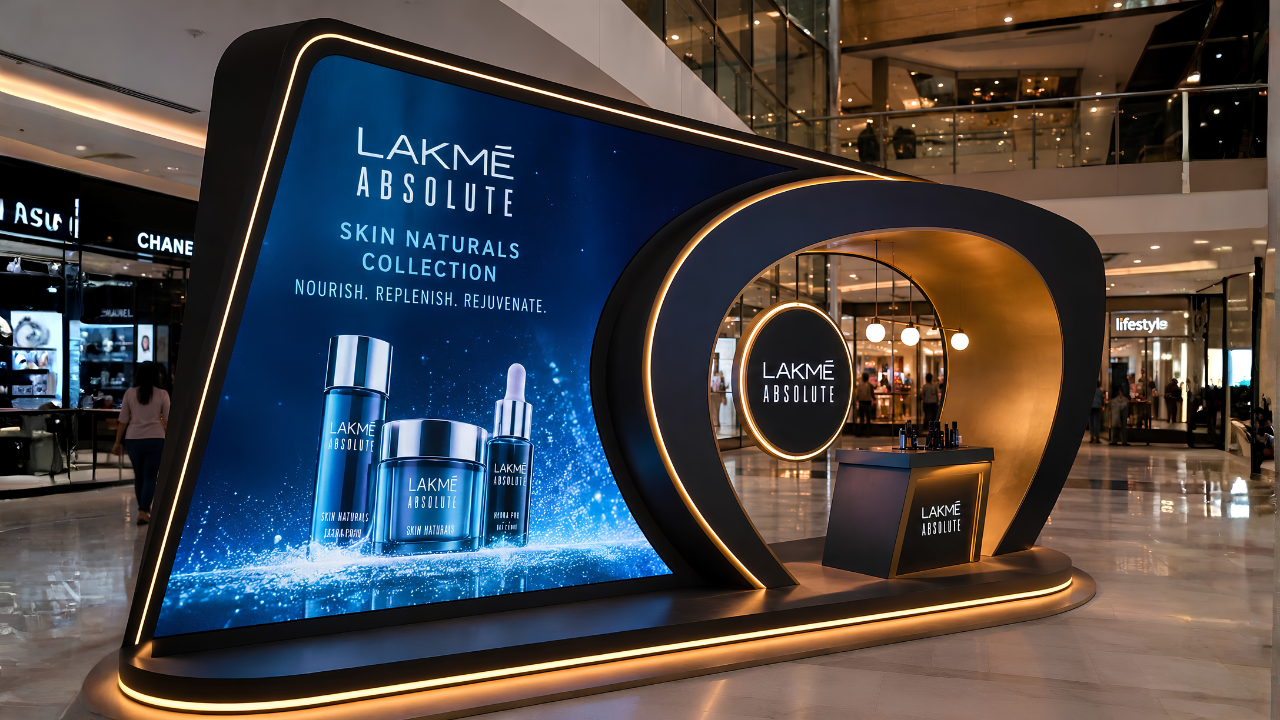
Creative fabricated digital display installation using LED technology

Creative fabricated displays using LED technology can be designed in custom shapes and sizes for maximum brand impact

DLP (Digital Light Processing)

DLP technology uses millions of microscopic mirrors on a chip to reflect light and form an image. Each mirror represents one pixel and tilts toward or away from the light source to produce bright or dark areas. DLP is primarily used in projectors for cinema, conference rooms, and large event projection. It is not commonly used for flat commercial displays but is worth understanding for event and presentation contexts.

E-Ink (Electronic Paper Display)

E-Ink or EPD screens work by moving charged particles through a fluid using an electric field. When the image is set, the particles hold their position without any power. The screen only consumes electricity when the image changes. This makes E-Ink displays extremely energy-efficient, using near-zero power when displaying static content.

In commercial settings, E-Ink is used for electronic price labels in supermarkets and retail stores, shelf-edge displays, and low-update information boards in libraries or transit stations. The limitation is that E-Ink cannot play video and refreshes slowly.

Transparent Displays

Transparent OLED or transparent LCD panels allow viewers to see both the displayed content and whatever is behind the screen. The effect creates visuals that appear to float in mid-air. Transparent displays are used in premium jewelry showrooms to display pricing and product info while the product remains visible, in automotive showrooms to overlay specifications on the vehicle, and in museum exhibitions to layer information over physical artifacts.

Intelisa Digital Standees

Commercial-grade floor standees powered by Intelisa's cloud software. Available in 43" and 55" sizes with commercial IPS panels, inbuilt Android, speakers, and toughened glass.

  • Full HD and 4K resolution options
  • 400 to 500 Nits brightness (commercial indoor grade)
  • 24x7 commercial operation rated
  • 60,000+ lifetime hours
  • Inbuilt Android media player and speakers
  • Manage remotely from Intelisa CMS
View All Standee Products
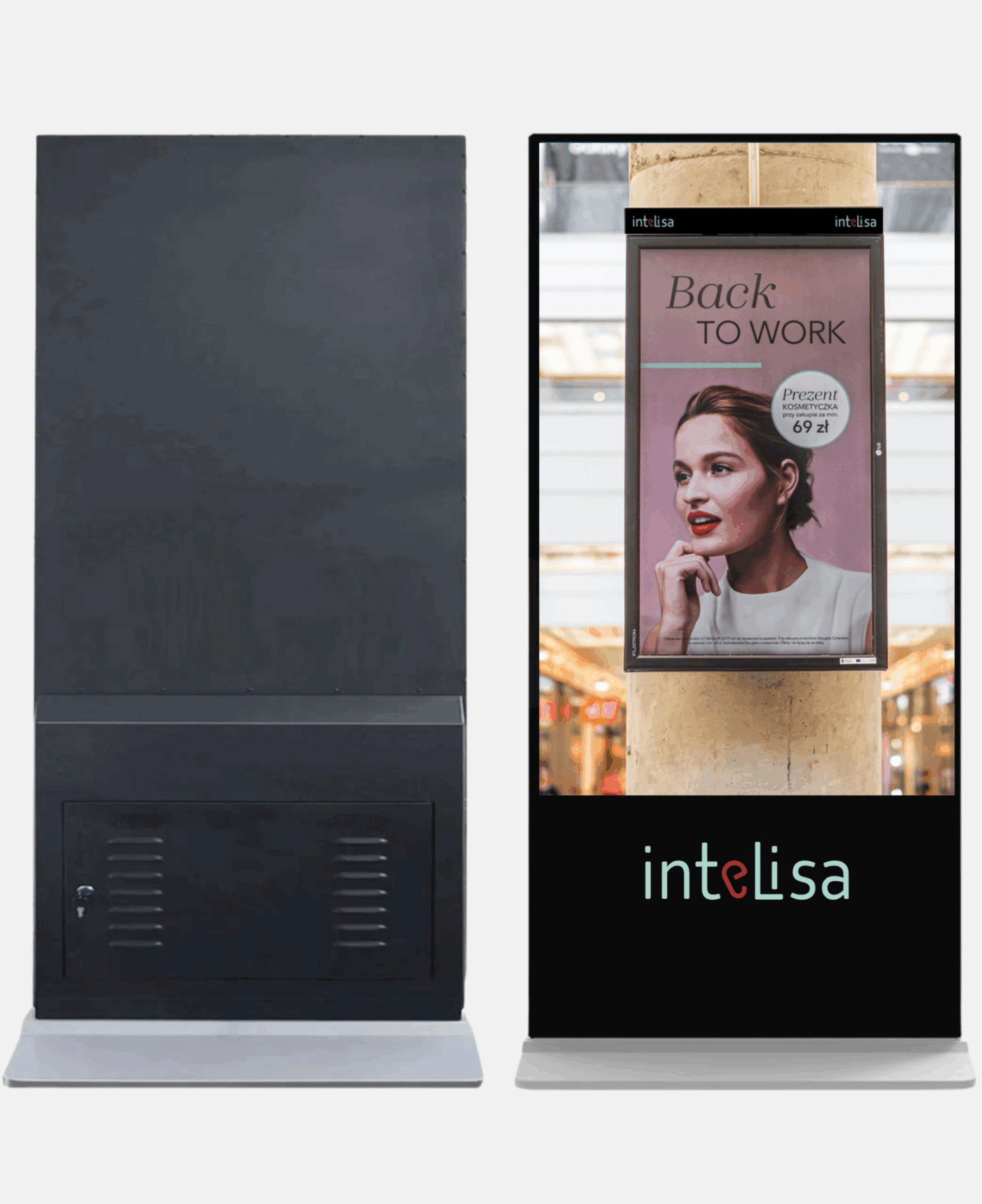
Intelisa 43 inch floor standee commercial digital display

How to Choose the Right Display Technology for Your Business

With so many options, it is easy to feel overwhelmed. The right choice comes down to four things: where the screen is placed, how bright the environment is, what type of content you will show, and how many hours per day the screen will run. Here is a practical guide for Indian businesses.

Business Type Recommended Technology Reason
Retail store, indoor Commercial IPS LCD or LED Wide viewing angles for multiple customers, affordable, durable
Restaurant or cafe Commercial LCD (IPS or VA) Bright enough for well-lit dining areas, sharp for menu text and food images
Corporate office lobby OLED or high-end IPS LCD Premium look for first impressions, good viewing angle for visitors
Hospital or clinic Commercial IPS LCD Consistent colors, wide angles for patient seating areas, durable
Factory floor or warehouse High-brightness commercial LCD Bright enough to be read in well-lit industrial environments
Outdoor billboard or facade Direct view LED (outdoor grade) 2,500+ nits to overcome direct sunlight visibility
Shopping mall atrium LED video wall or large LCD Large size impact, high visibility from distance and multiple angles
Jewelry or auto showroom Transparent OLED or OLED Premium visual experience that matches the brand positioning
Exhibition or event stand LED panel or digital standee Portable, high visibility, flexible content

Key Technical Specifications to Check When Buying a Display

Beyond the display technology type, these specifications directly affect how a screen performs in your environment.

Critical

Brightness (Nits)

Nits measures how much light the screen emits. For indoor commercial use, 400 to 700 nits is sufficient. For semi-outdoor or bright retail environments, look for 1,000+ nits. For outdoor use, you need at least 2,500 nits, with premium outdoor LED reaching 5,000 to 10,000 nits.

Min: 400 nits indoor, 2,500 nits outdoor

Critical

Resolution

Resolution determines how sharp the image is. Full HD (1920x1080) is the minimum for commercial displays. 4K (3840x2160) is recommended for larger screens above 55 inches or when viewed at close range, such as a standee at an event or a reception display where visitors stand close.

Minimum: Full HD. Preferred: 4K for 55+ inch

Important

Viewing Angle

Viewing angle measures how far off-center you can view the screen before colors or brightness shift. IPS panels typically offer 178 degrees both ways, meaning the image looks consistent from nearly any position. TN panels have poor viewing angles and are not suitable for public-facing commercial use.

Target: 178 degrees horizontal and vertical

Important

Operating Hours

Consumer TVs are rated for 4 to 8 hours of daily use. Commercial-grade screens are rated for 16 to 24 hours of continuous operation. All Intelisa standees and commercial displays are rated for 24x7 operation. Always check the operating hours specification before purchasing for business use.

Business use: Must be 16/7 or 24/7 rated

Technical

IP Rating (Outdoor)

For outdoor displays, the IP (Ingress Protection) rating tells you how well the screen is sealed against dust and water. IP65 means the screen is fully dust-tight and protected against water jets from any direction. Outdoor displays without at least IP65 will fail quickly in rain or dusty environments common across India.

Outdoor minimum: IP65

Technical

Pixel Pitch (LED Walls)

For LED video walls, pixel pitch is the distance in millimeters between individual LED clusters. A smaller pixel pitch (e.g., P1.5) means higher density and sharper image, suitable for close viewing. A larger pitch (e.g., P6 or P10) is used for large outdoor displays viewed from a distance. Always match the pixel pitch to the minimum viewing distance of your installation.

Indoor close-view: P2.5 or lower

How Intelisa Works With Every Display Technology

One of the most important things to understand about Intelisa is that the software is completely display agnostic. It does not matter whether you have an LCD screen, an OLED panel, a direct view LED wall, a digital standee, or a touch-screen kiosk. Intelisa manages content on all of them from the same platform.

1

Any Screen, Any Technology

Connect Intelisa to any display via an Android media player, Amazon Fire Stick, Windows PC, or the built-in SoC on Samsung Smart Signage displays. The display technology underneath does not matter to the software.

2

One Dashboard for All Screens

Whether your retail chain has LCD screens in one city and LED video walls in another, you manage all of them from the same Intelisa dashboard. Schedule content, group screens by location, and push updates in seconds.

3

Content Optimized for Any Size

Intelisa's content editor lets you create layouts for any resolution and orientation. Portrait, landscape, 4K, Full HD, ultra-wide LED walls - all are supported with the same content creation tools.

4

Works Offline

All display technologies work offline with Intelisa. Content is cached locally on the media player. If the internet connection drops, your screens continue playing without interruption.

Intelisa custom video wall installation using LED display technology

Custom LED video wall installation managed through Intelisa's cloud-based digital signage platform

Why Digital Displays Beat Static Signage Every Time

In India, a large number of businesses still rely on printed flex banners, notice boards, and paper posters for communication. These are static displays. Here is why switching to any digital display technology is a better choice for business communication.

Communication Type Static Printed Signage Digital Display Screen
Update process Design, print, courier, install - 3 to 7 days Upload from phone - live in 30 seconds
Multiple messages One message per board Rotate unlimited messages in one screen
Real-time information Not possible Show live data, queues, prices, stocks
Personalization Same for everyone Change content by time, day, or audience
Recurring cost Every update incurs design and print cost Zero recurring cost after hardware purchase
Audience engagement People ignore static boards after first viewing Motion and video attract 3x more attention
Analytics No data at all Screen uptime, content logs, remote monitoring

Every Display Technology Works With Intelisa

Whether you have one screen or five hundred, LCD or LED, Intelisa manages all of them from one platform. Join 1,000+ businesses across India already using Intelisa.

Start Your Free 14-Day Trial

Frequently Asked Questions

What is the difference between LCD and LED displays?

LCD (Liquid Crystal Display) and LED are often confused because the terms are used loosely in the market. A standard LCD display uses a fluorescent backlight to illuminate liquid crystal cells that form the image. What is marketed as an LED TV is actually an LCD screen with LED backlighting instead of fluorescent tubes. A true LED display, also called direct view LED, uses individual LED modules as both the light source and image element with no LCD layer at all. True LED displays are much brighter and are used for large video walls and outdoor billboards.

Which display technology is best for outdoor use in India?

For outdoor use in India, direct view LED displays are the best choice. They can achieve brightness levels of 2,500 to 10,000+ nits, making them clearly visible in direct sunlight. Outdoor LED displays also carry an IP65 weather protection rating, making them resistant to rain, dust, and humidity. Standard LCD or OLED screens are designed for indoor use and will not perform adequately in outdoor conditions.

Is OLED better than LCD for commercial digital signage?

OLED delivers superior image quality with true blacks, infinite contrast, and wide viewing angles. However, for most commercial digital signage applications in India, commercial IPS LCD displays offer a better balance of performance and cost. OLED screens are recommended for premium installations such as luxury retail, high-end hospitality, and corporate reception areas where the investment in superior visuals is justified. OLED also carries a risk of image burn-in when the same static content runs for extended hours, which is common in digital signage.

What is MicroLED and why is it important?

MicroLED is a display technology that uses microscopic inorganic LED modules at the pixel level, giving it the visual advantages of OLED (deep blacks, high contrast, wide viewing angles) combined with the brightness and durability advantages of standard LED. Unlike OLED, MicroLED does not use organic materials so it has no burn-in risk and a much longer lifespan. MicroLED is currently expensive and used mainly in ultra-premium video wall installations, but is expected to become more mainstream in commercial displays over the next several years.

What is the difference between IPS and VA panels?

IPS (In-Plane Switching) and VA (Vertical Alignment) are both LCD subtypes. IPS panels offer wider viewing angles (up to 178 degrees) and more accurate color reproduction, making them better for public-facing displays where people view the screen from different positions. VA panels offer higher contrast ratios and deeper blacks than IPS, but their viewing angles are slightly narrower. VA panels are better suited for direct-view applications like large indoor video walls or meeting room screens where the audience is mostly seated in front of the display.

How many nits of brightness do I need for my business display?

For a typical indoor commercial environment with standard lighting, 400 to 700 nits is sufficient. This covers most retail stores, offices, restaurants, and hospitals. For brighter environments with large windows or skylights, look for 700 to 1,000 nits. For semi-outdoor applications such as a screen near a glass entrance or in a covered outdoor area, 1,500 to 2,500 nits is recommended. For fully outdoor use in direct sunlight, 2,500 nits is the minimum and 5,000+ nits is preferred.

What is pixel pitch and why does it matter for LED video walls?

Pixel pitch is the distance in millimeters between the centers of adjacent LED clusters (pixels) on an LED panel. A smaller pixel pitch means more pixels in the same area, which means a sharper image. P1.5 means 1.5mm between pixels, which gives a very high-resolution image suitable for close viewing like a corporate lobby or retail store. P6 or P10 is used for large outdoor displays viewed from many meters away where the coarser pixel structure is not visible at that distance. Always choose pixel pitch based on the minimum viewing distance of your installation.

What display types does Intelisa digital signage software work with?

Intelisa works with virtually any display technology, including LCD, LED, OLED, video walls, digital standees, touch screens, and more. Intelisa's platform is display agnostic, meaning the software works with any screen connected to an Android media player, Amazon Fire Stick, Windows PC, or Samsung Smart Signage built-in player. You can manage screens of different display technologies across different locations from one Intelisa dashboard.

Can I use a consumer television for commercial digital signage in India?

While a consumer television can technically display digital signage content, it is not recommended for long-term business use. Consumer TVs are rated for 4 to 8 hours of daily use. Running them as digital signage for 12 to 16 hours per day will significantly shorten their lifespan. They also lack brightness levels suitable for bright commercial environments and do not support portrait orientation. Commercial-grade displays are rated for 16 to 24 hours of daily operation, offer higher brightness, and come with commercial warranties that cover business use.

What is a transparent display and where is it used?

A transparent display is a screen that shows content while allowing viewers to see through it to the background. This is achieved using transparent OLED or transparent LCD technology. The effect creates visuals that appear to float in mid-air. Transparent displays are used in premium jewelry stores to show pricing and details while the jewelry remains visible through the screen, in automobile showrooms to overlay specifications over the vehicle, and in museum exhibits to layer digital information over physical objects. The technology is relatively expensive and is typically used in high-end premium retail and luxury hospitality installations in India.

The Bottom Line for Indian Businesses

Display technology has never been more varied or more capable. From affordable commercial LCD screens that work perfectly in a retail store or restaurant, to high-brightness outdoor LED panels built for Indian weather, to premium OLED displays that make a luxury showroom look extraordinary, there is a right display for every situation and budget.

What remains constant across all of them is the need for a reliable software platform to manage the content. Intelisa is that platform. It connects to any screen, any technology, anywhere in India, and gives you full control from one login.

Talk to the Intelisa Team About the Right Display for You

Tell us your use case, your environment, and your budget. We will recommend the right display technology and show you how Intelisa manages it all.

Visit Intelisa.in
I
Intelisa Content Team

The Intelisa team writes about digital signage, display technology, and smart communication solutions for businesses across India. Questions? Write to us at info@intelisa.in
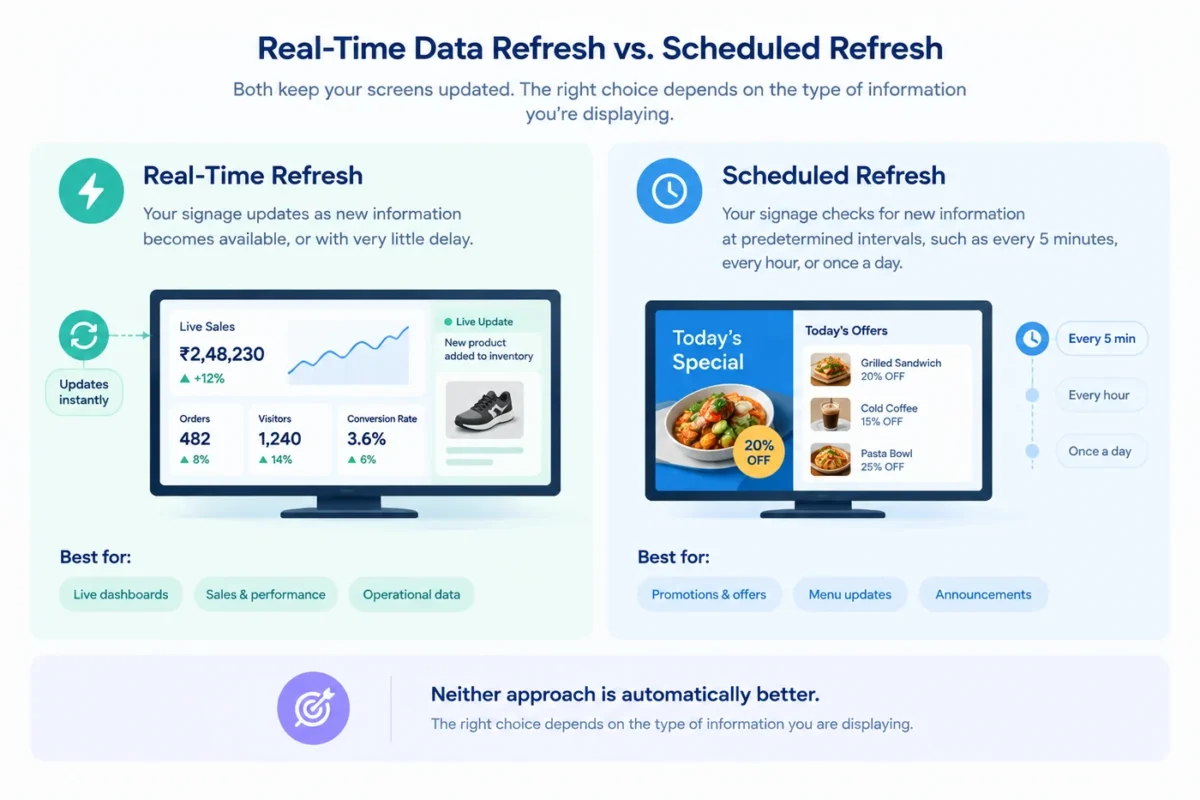
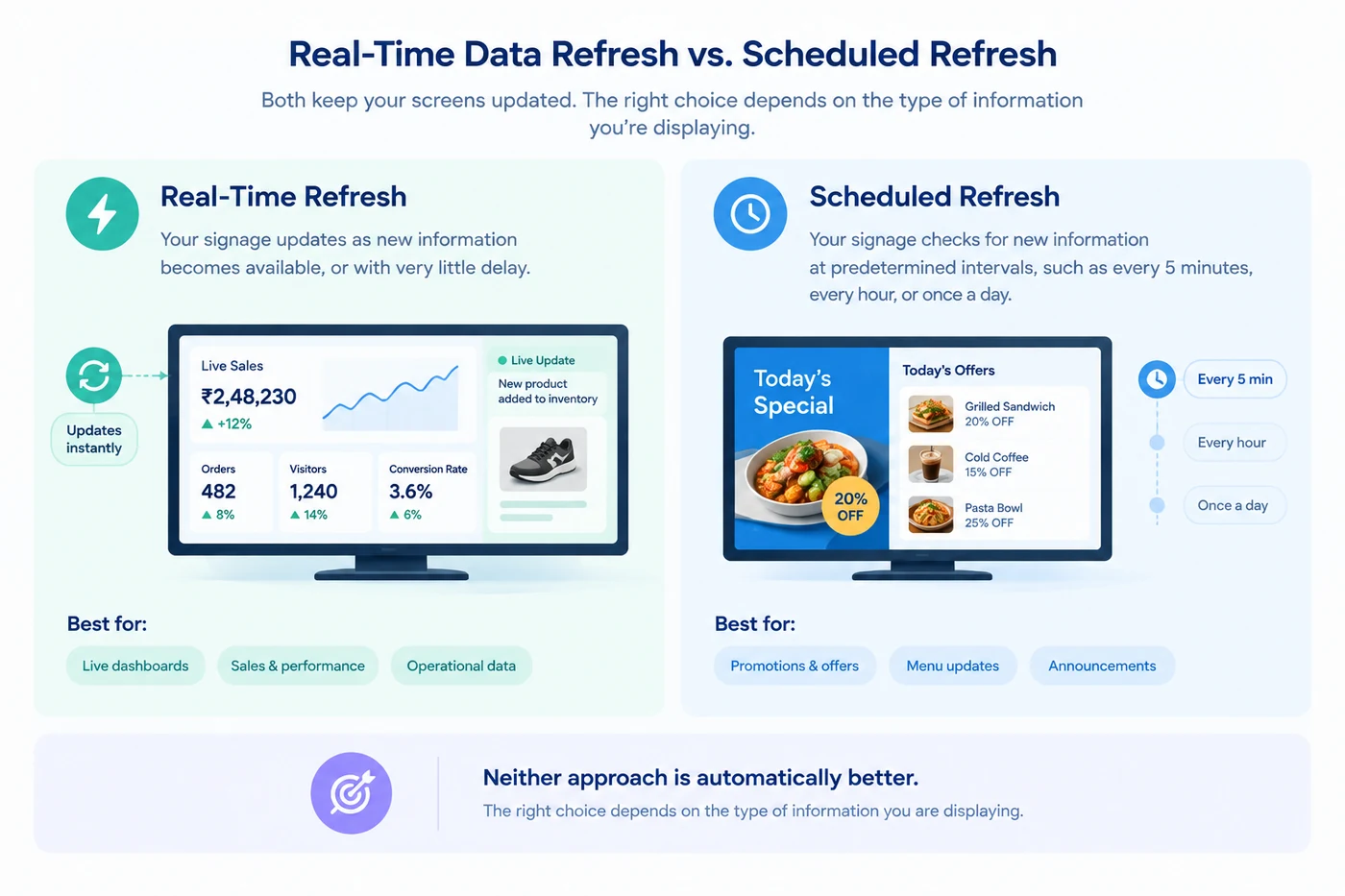
Categories
Digital Signages

AI + Digital Signage: What’s Changing Right Now

Remember when digital signage was simply a screen looping the same content all day?

Those days are fading fast.

With AI digital signage, screens can react to what’s happening around them.

  • Menus can update automatically
  • Promotions can change throughout the day
  • Information can stay current without someone constantly managing it behind the scenes

It’s a small shift that makes a big difference.

Content feels more relevant, businesses spend less time updating screens, and customers get information that’s actually useful at the moment.

Let’s take a look at how AI is changing digital signage and what’s driving its growing adoption across industries.

What Is AI Digital Signage?

At its simplest, AI digital signage is digital signage that can make smarter decisions about what content to show and when to show it.

Traditional digital displays follow a set schedule. Someone creates the content, assigns it to a playlist, and decides when it appears on screen. If something changes, a product sells out, the weather shifts, or a promotion ends, someone has to update it manually.

AI adds a layer of intelligence to that process.

Instead of sticking to a fixed schedule, AI-powered digital displays can use data like weather conditions, foot traffic, inventory levels, or time of day to adjust content automatically. The goal isn’t to replace human decision-making. It’s to reduce repetitive tasks and make sure the right message appears at the right time.

AI-Digital-Signage

AI Digital Signage Trends to Watch in 2026

The technology is evolving quickly, but a few trends are standing out from the rest. Here’s what’s shaping the next generation of digital signage.

1. Content That Updates Itself

Nobody wants to manually update dozens of screens throughout the day.

That’s why more businesses are using real-time content automation to keep displays current. Promotions, menus, pricing, announcements, and inventory-based messages can all update automatically as conditions change.

For businesses managing large display networks, it’s a huge time-saver.

2. More Personalized Messaging

Digital displays are becoming better at understanding context.

Instead of showing the same message to everyone, businesses can tailor content based on factors like location, time of day, audience traffic, or local conditions. The goal isn’t one-to-one personalization—it’s making content feel more relevant to the people seeing it.

3. AI-Generated Content

Creating fresh content is often one of the biggest challenges in digital signage.

Generative AI is making it easier to produce ad copy, promotional messages, translations, and design variations, helping teams create more content without adding more work.

4. Smarter Analytics

It’s no longer enough to know what was displayed.

Businesses want to know what actually worked.

Modern intelligent signage systems can help identify which campaigns get the most engagement, which messages perform best, and when audiences are most responsive.

5. Interactive Experiences

Digital displays are becoming more than just screens.

From touch-enabled kiosks to voice-assisted interfaces, businesses are exploring new ways to turn passive displays into interactive customer experiences.

Benefits AI Digital Signage

What AI Digital Signage Looks Like in the Real World

It’s easy to talk about AI in theory. Here’s what it actually looks like on a normal day.

☕ 8:00 AM: A coffee shop promotes hot lattes and breakfast combos to commuters rushing to work.

🥗 1:00 PM: The menu board switches to lunch specials automatically.

🌧️ 4:00 PM: Rain starts pouring outside. The display near the entrance begins promoting umbrellas and rain jackets.

🛒 6:00 PM: A product starts selling faster than expected. The store’s digital displays move it to a featured position.

✈️ 8:00 PM: An airport gate changes. Passenger information screens update instantly.

None of these changes require someone running around updating screens manually. The display adapts as situations change.

Is AI Digital Signage Worth It?

For most businesses, the question is whether the improvements justify the investment.

The answer depends on how many screens you’re managing and how often your content changes. If you’re updating a handful of displays once a month, AI may not make a dramatic difference.

But if you’re constantly changing menus, promotions, pricing, inventory information, or customer communications, automation can save a significant amount of time and reduce the risk of outdated content appearing on screen.

In a nutshell, the more content there is to manage, the more valuable automation becomes.

invest in ai digital signage

Final Thoughts

Let’s be honest, nobody got into business because they enjoy updating screens all day.

Whether it’s changing menu boards, swapping out promotions, or making sure the right content shows up at the right time, managing digital signage can quickly turn into a tedious task.

That’s exactly why AI digital signage is gaining traction. It takes care of the repetitive stuff, keeps content fresh, and helps your screens stay relevant without constant babysitting.

The technology is getting smarter, but the real win is simple: less time spent managing displays and more time spent focusing on your business.

Still updating screens the hard way?

Book a trial with Intelisa and see how much easier digital signage can be when your displays do more of the work for you.

FAQs

AI is making digital signage more dynamic and easier to manage. Businesses can automate content updates, personalize messaging, analyze performance, and display more relevant content without constantly updating screens manually.

Some of the biggest benefits include:

  • Less manual work
  • Real-time content updates
  • More relevant messaging
  • Better content performance insights
  • Easier management across multiple locations

Improved customer experiences

Yes. AI-powered digital displays can adjust content based on factors like location, time of day, audience traffic, and environmental conditions. This helps businesses show more relevant messages to the people viewing the screen.

AI digital signage is commonly used in retail stores, restaurants, shopping malls, healthcare facilities, airports, corporate offices, hotels, educational institutions, and smart city projects.

The cost depends on the size of your display network and the features you need. Many modern digital signage platforms offer scalable solutions that make AI-powered features accessible to both small businesses and large enterprises.

Start by identifying where manual content management is slowing your team down. From there, choose a digital signage platform that supports automation, centralized content management, and AI-powered features that match your business needs.

Categories
Digital Signages

Digital Display Screens: Everything You Need to Know Before You Buy

Digital Display Screens

Walk into any modern retail store, hospital, or corporate office in India today and you will find screens everywhere. They show promotions, menus, announcements, queues, and live data. These are digital display screens, and they have quietly replaced almost every printed poster, notice board, and static banner in commercial spaces.

But what exactly is a digital display screen? How does it work? And more importantly, which one should you choose for your business? This guide answers all of that, with no technical jargon.

3x Higher attention vs printed posters
20% Average sales increase with digital displays
80% Reduction in printing and design costs

What Is a Digital Display Screen?

A digital display screen is an electronic device that shows visual content such as images, videos, text, or live data. Unlike a printed poster or a whiteboard, the content on a digital screen can be changed instantly, remotely, and as many times as you like.

Digital displays are used in businesses to communicate with customers, employees, and visitors in real time. A retail store uses them to show daily offers. A hospital uses them to display patient queue numbers. A factory uses them to show live production targets. The common thread is that all these screens get their content from a software platform, not from a printer.

"Intelisa's digital signage technology is not the display itself, but the software and intelligence that drives these displays. We are universally compatible with any digital screen in the market." Intelisa

How Does a Digital Display Screen Work?

A digital display system has three main parts working together. Understanding this helps you make a better buying decision.

1

The Display Screen

This is the physical screen you see on the wall or floor. It can be a commercial TV, an LED panel, a touch-screen monitor, or a slim digital standee. The screen itself does not decide what gets shown on it.

2

The Media Player

A small device connected to the screen that runs the signage software. This can be an Android box, an Amazon Fire Stick, a Windows mini-PC, or a built-in system-on-chip (SoC) inside the screen itself. The player fetches content and sends it to the display.

3

The CMS Software

This is the most important part. The Content Management System (CMS) is where you upload your images and videos, schedule what plays when, and manage all your screens from one place. Intelisa is this CMS. You log in from your phone or laptop and your screens anywhere in India update in seconds.

How digital display screens work - Intelisa signage software

Large outdoor LED screens managed remotely through cloud-based signage software

Types of Digital Display Screens

Not all screens are built the same. Each display technology has different strengths. Here is a breakdown of the most common types used in India today.

Most Common

LCD Display

LCD (Liquid Crystal Display) screens use a backlight and liquid crystal cells to create an image. They are the most widely used displays in India across offices, retail stores, hospitals, and homes.

Best For: Indoor retail, offices, reception areas, restaurants

Outdoor Ready

LED Display

LED (Light Emitting Diode) screens produce their own light through tiny diodes. They are significantly brighter than LCD screens, making them the go-to choice for outdoor use where sunlight is a challenge.

Best For: Outdoor billboards, DOOH, malls, stadium screens

Premium Quality

OLED Display

OLED (Organic LED) screens produce light from each individual pixel, resulting in deeper blacks and more vibrant colors than both LCD and standard LED. They are thinner and consume less power.

Best For: Luxury retail, high-end hospitality, premium lobbies

Futuristic

Transparent Display

Transparent screens show content while still allowing viewers to see through them. This creates a striking visual effect, as if the images are floating in mid-air. Mostly used in premium retail and auto showrooms.

Best For: Jewelry stores, auto showrooms, exhibitions

Interactive

Touch Display

Touch screens allow users to interact directly with the content. They power self-service kiosks, interactive directories, and digital menus where customers can tap to explore options.

Best For: Kiosks, malls, hospitals, corporate reception

Long Life

E-Ink Display

E-Ink screens only use power when the image changes, making them extremely energy-efficient. Content looks like printed paper. They cannot play video and are mostly used for price tags or slow-update signage.

Best For: Price tags, library shelves, menu price boards

Intelisa Digital Standees

Slim, commercial-grade floor standees with built-in Android, inbuilt speakers, and toughened glass. Ready to connect to Intelisa software out of the box.

  • 43" and 55" sizes available
  • 400 and 500 Nits brightness
  • Full HD and 4K resolution options
  • 60,000+ lifetime hours
  • Commercial panel for 24x7 operation
  • Optional wheels for easy movement
View All Standees
Intelisa floor standee digital display

Static Displays vs Digital Display Screens

Most Indian businesses still rely on printed posters, banners, and flex boards. Walk through any market in Mumbai or a mall in Bangalore and you will see hundreds of these. Here is why digital display screens are a better option in almost every situation.

Factor Static Printed Signage Digital Display Screen
Content Updates Requires new printing each time Update in seconds from your phone
Number of Messages Only one message at a time Rotate multiple messages in a loop
Printing Cost Recurring every time you update Zero after initial setup
Attention Grabbing Low - people ignore static posters High - motion and video attract eyes
Real-time Information Not possible Yes - live prices, queues, data
Analytics No tracking at all See uptime, playback logs, performance
Environment Paper waste, frequent disposal Zero paper, long-lasting hardware

Professional vs Consumer Grade Displays

This is one of the most common mistakes Indian business owners make. They buy a regular consumer TV from an electronics store and use it as a commercial display. Here is why that is a problem.

Feature Consumer TV / Home Display Commercial Display
Daily Usage Hours 4 to 8 hours 16 to 24 hours
Brightness 250 to 350 Nits 400 to 2500+ Nits
Warranty Coverage Standard home warranty Commercial grade warranty
Orientation Support Horizontal only Both portrait and landscape
Heat Management Gets hot with extended use Built for heat and dust environments
Remote Management Not supported Fully remote via CMS software

All Intelisa digital standees and displays are built with commercial-grade panels designed for 24x7 operation. They are made for business use, not home use.

Where Are Digital Display Screens Used in India?

Digital display technology is no longer just for large brands and shopping malls. Today, businesses of all sizes across India are adopting digital displays. Here is how different sectors use them.

Retail and Shopping Malls

Retail stores use digital displays to promote offers, highlight new arrivals, and showcase brand videos near the entrance and billing counter. In shopping malls, large LED screens run paid advertising alongside tenant promotions. Studies show that customers spend more time and money in stores where digital displays are present.

Restaurants and Cafes

Digital menu boards replace printed laminated menus that get outdated every few months. A restaurant can now update its menu instantly when a dish runs out, change prices without reprinting, or switch from a breakfast menu to a lunch menu automatically at a set time. QSR chains across India have already moved to digital boards completely.

Digital display screens in restaurants and cafes in India

Digital menu boards in Indian restaurants help update offers in real time

Corporate Offices and IT Parks

Office screens show company announcements, HR updates, visitor welcome messages, and live dashboards with sales numbers or project status. This replaces the flood of internal emails that nobody reads and makes company communication visible and immediate.

Healthcare and Hospitals

Hospitals in India manage hundreds of patients daily. Digital screens are used to show patient queue tokens, wayfinding directions to departments, health tips in waiting areas, and doctor availability boards. This reduces patient anxiety and staff workload at the same time.

Manufacturing Plants and Warehouses

Factory floors use digital displays to show live production data against targets, safety alerts, shift schedules, and quality control metrics. When a machine breaks down, an alert goes out on all floor screens immediately. This replaces the daily whiteboard update that supervisors would manually do.

Outdoor Advertising and DOOH

Digital Out-of-Home (DOOH) is replacing traditional flex and vinyl billboards across Indian cities. A single digital billboard can run multiple ads from different clients throughout the day, managed from a single software dashboard. No printing, no installation crew, just a content update from a laptop.

Analog vs Digital Displays: What Is the Difference?

The term "analog display" refers to older display technology based on traditional television signals. These screens required thick wiring, could not connect to the internet, and needed a separate video source to show anything. They are mostly obsolete today.

Digital displays use modern panel technologies (LCD, LED, OLED) and connect directly to media players, computers, or cloud-based software. They can receive content over Wi-Fi or a LAN network, be updated remotely from anywhere in the world, and show multiple content formats including video, live data, HTML content, and more. Every commercial screen sold in India today is a digital display.

How to Choose the Right Digital Display Screen for Your Business

The right screen depends on where you are placing it, how bright the environment is, and what kind of content you will display. Here is a simple guide.

Your Use Case Recommended Type Key Spec to Check
Indoor retail, office, or restaurant Commercial LCD or LED 400 to 700 Nits brightness
Outdoor billboard or storefront High-brightness outdoor LED 2,500+ Nits, IP65 rating
Luxury store, hotel, or showroom OLED or fine-pitch LED Thin profile, wide viewing angle
Self-service kiosk or interactive use Touch-screen commercial display Capacitive touch, durable glass
Event or exhibition backdrop LED video wall (modular) Pixel pitch P2.5 or lower for close viewing
Floor standee at entrance or event Slim digital standee Commercial panel, 24x7 rated
Custom video wall display solution by Intelisa

Intelisa custom video wall installations for retail, corporate, and events

Intelisa offers a full range of commercial-grade display hardware including floor standees, wall-mount displays, and custom video walls. All of them connect directly to the Intelisa cloud CMS, so you can manage every screen from one platform regardless of size or location.

Key Advantages of Digital Display Screens for Businesses

Here is a concise summary of why businesses across India are replacing static communication with digital displays.

  • Instant content updates - Change what is on your screen in seconds without leaving your desk
  • Reduced printing costs - No recurring expenses for banners, flex, and posters
  • Better engagement - Moving content and video attract significantly more attention than printed boards
  • Multiple messages on one screen - Rotate between offers, news, reminders, and brand content on the same display
  • Centralized control - Manage 1 screen or 500 screens from one dashboard
  • Real-time data display - Show live stock, queue numbers, sales data, or weather feeds automatically
  • Scalable - Start with one screen in your store today and scale to all branches when ready
  • Works offline - Screens continue playing cached content even when internet goes down temporarily

What Is a System-on-Chip (SoC) Digital Display?

A System-on-Chip display has the media player built directly inside the screen. This means you do not need a separate device like a Fire Stick or Android box plugged into the screen. Everything runs from within the display itself.

SoC displays are common in commercial Samsung, LG, and Philips screens. They are clean in appearance since there are no extra cables or devices hanging off the screen. Intelisa is compatible with most SoC displays, which means you can manage even built-in media player screens through the same Intelisa dashboard.

Ready to Add Digital Displays to Your Business?

Intelisa makes it easy to get started. Start with one screen and manage it from your phone. No technical setup required. Trusted by Adani, Godrej, and 1,000+ Indian businesses.

Start Your Free 14-Day Trial

Frequently Asked Questions

What is a digital display screen?

A digital display screen is an electronic device that shows visual content such as images, videos, text, or live data to an audience. Unlike a printed poster, the content can be updated instantly and remotely using a software platform called a CMS (Content Management System). Digital display screens are used in retail stores, restaurants, hospitals, offices, and outdoor advertising across India.

What are the different types of digital display screens?

The main types of digital display screens are: LCD (Liquid Crystal Display), LED (Light Emitting Diode), OLED (Organic LED), Transparent Display, Interactive Touch Display, and E-Ink Display. Each type has different brightness levels, use cases, and price points. LCD and LED are the most common in Indian businesses. LED is preferred for outdoor use due to its high brightness.

What is the difference between an LED and an LCD digital display?

An LCD screen uses a fluorescent or LED backlight with liquid crystal cells to create an image. What is commonly called an LED TV is technically an LCD screen with LED backlighting. A true LED display uses a panel of individual LED modules as both the light source and the image source. True LED panels are much brighter, more modular, and better suited for outdoor use. LCD screens are more affordable and suitable for indoor commercial use.

How does a digital display screen connect to content?

A digital display screen connects to content through a media player, which can be a separate device (like an Android box or Amazon Fire Stick) or a built-in System-on-Chip (SoC) inside the screen. The media player runs digital signage software that receives content from a cloud-based CMS. You upload your images and videos to the CMS from any browser or phone, and the software pushes the content to your screen over Wi-Fi or a wired network.

What is the difference between a consumer TV and a commercial digital display?

A consumer TV is designed for 4 to 8 hours of use per day in a home environment. A commercial digital display is built for 16 to 24 hours of continuous operation in a business environment. Commercial displays have higher brightness, better heat management, portrait and landscape orientation support, remote management capability, and commercial-grade warranties. Using a consumer TV as a business display leads to early screen failure and poor performance.

What is a digital standee and how is it different from a regular screen?

A digital standee is a slim, freestanding floor display unit that combines a commercial-grade screen with a stylish slim cabinet. Unlike a screen mounted on a wall, a standee can be placed anywhere without any installation. It typically includes an inbuilt Android media player, inbuilt speakers, toughened glass, and optional wheels for easy movement. Intelisa offers 43" and 55" digital standees with Full HD and 4K resolution, rated for 24x7 commercial use.

Can a digital display screen work without the internet?

Yes. Most commercial digital display systems, including Intelisa, support offline mode. This means the screen downloads and caches the content locally. If the internet connection drops, the screen continues playing the last downloaded content without any interruption. An internet connection is required to push new content updates remotely, but it is not required to keep the screen running.

How much does a digital display screen cost in India?

The cost of a digital display screen in India depends on the size, type, and whether it is a standalone screen or a complete solution with a media player and software. A basic 43" commercial screen starts from around Rs. 15,000 to Rs. 25,000. A complete digital standee with built-in Android and commercial panel costs more. Software subscriptions like Intelisa add a small monthly cost per screen. Contact Intelisa for a custom quote based on your specific requirements.

Which industries in India use digital display screens the most?

Digital display screens are widely used across multiple industries in India. Retail stores and shopping malls use them for promotions and branding. Restaurants and QSR chains use digital menu boards. Hospitals and clinics use them for patient queues and wayfinding. Corporate offices use them for employee communication and dashboards. Manufacturing plants use them for KPI boards and safety alerts. Outdoor advertising companies use digital billboards and DOOH screens to run multiple advertising campaigns from one platform.

What software is needed to manage digital display screens?

Digital display screens need a Content Management System (CMS) software to manage what plays on each screen. This software lets you upload images and videos, schedule content by time and day, group screens by location, and monitor screen status remotely. Intelisa is a cloud-based digital signage CMS built specifically for Indian businesses. It works on any screen, supports multiple content formats, and comes with a 14-day free trial. You can manage all your screens from one dashboard on any device.

Ready to Move from Static to Digital?

Digital display screens are no longer just for large corporates with big budgets. Today, a small clothing boutique in Delhi, a pharmacy in Chennai, and a QSR outlet in Pune can all run professional digital signage for a monthly cost that is far less than what they spend on printing alone.

The right screen depends on your environment and use case. But the right software to manage it is the same for everyone. Intelisa gives you a single platform to manage any screen, anywhere, from any device. Start with one screen today and expand as your business grows.

Talk to the Intelisa Team Today

We will recommend the right display type and software plan for your business. No commitment, no pressure.

Visit Intelisa.in
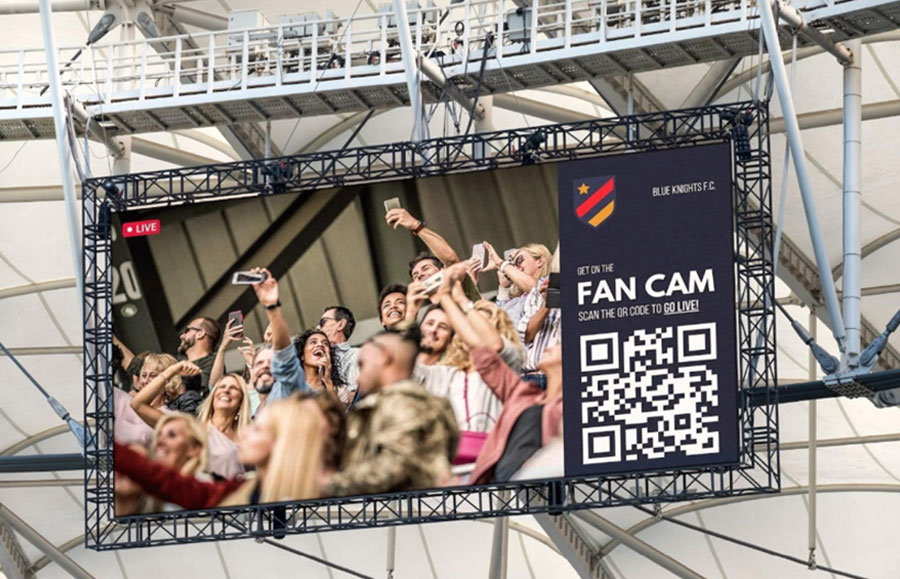
Categories
Digital Signages

Corporate Digital Signage Guide for Modern Workplace

Modern workplaces are evolving rapidly. Offices are no longer merely spaces where employees sit at their desks, working silently throughout the day. Today's companies seek enhanced communication, greater employee engagement, smarter collaboration, and a more connected workplace culture. This is precisely where Corporate Digital Signage proves to be a game-changing solution.

From reception displays and meeting room screens to cafeteria boards and live KPI dashboards, digital signage is empowering companies to communicate more effectively than ever before. Across India, companies are now replacing outdated notice boards, printed posters, and traditional communication methods with dynamic digital screens that deliver instant, real-time information.

At Intelisa, we help companies transform their standard office displays into smart communication platforms, keeping employees informed, motivated, and connected throughout their workday.

Whether you manage a corporate headquarters, an IT office, a co-working space, a manufacturing facility, or a multi-location business, corporate digital signage helps create a smarter, more engaging workplace environment.

47.7%
Boost in Brand Awareness
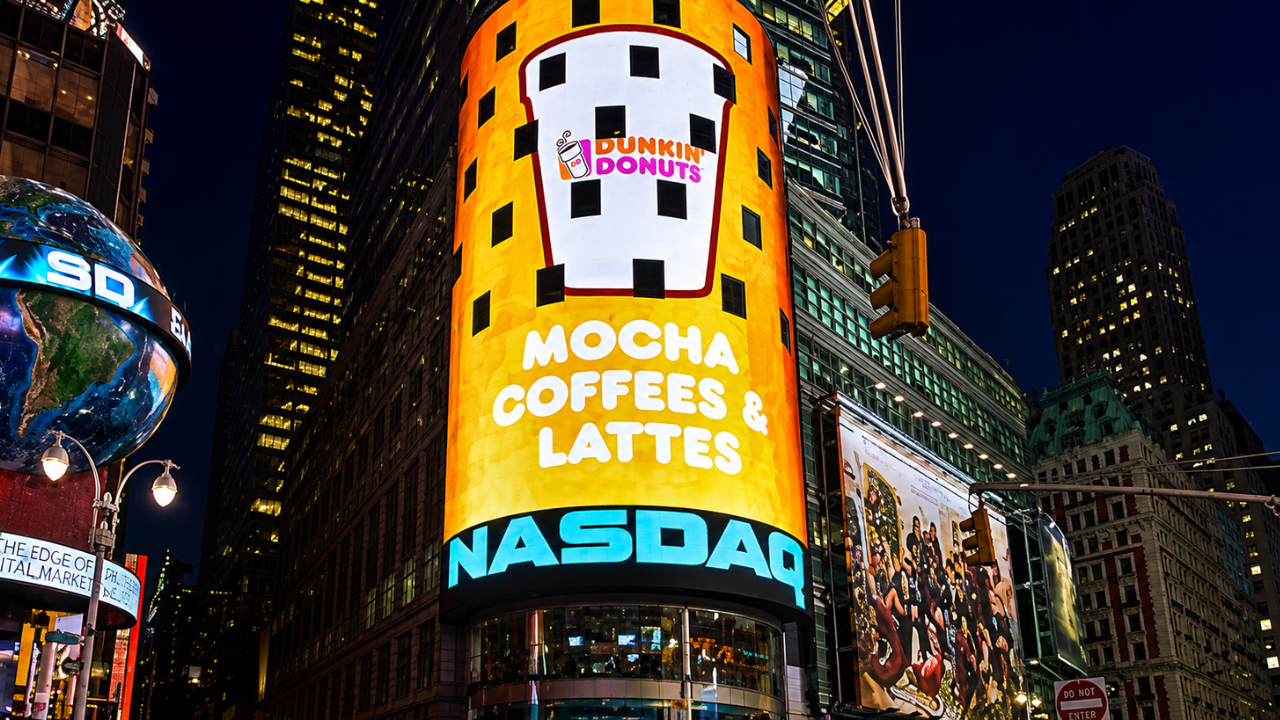
400%
More Views vs Static Displays
83%
Improved Employee Engagement
1 Dashboard
Control All Office Screens

What is Corporate Digital Signage?

Corporate digital signage refers to the use of digital screens within workspaces to display company messages, live updates, employee information, announcements, dashboards, schedules, and branded content in real time. Rather than relying on emails, which employees might overlook, or printed notices that quickly become outdated, organizations can instantly share essential updates on office screens.
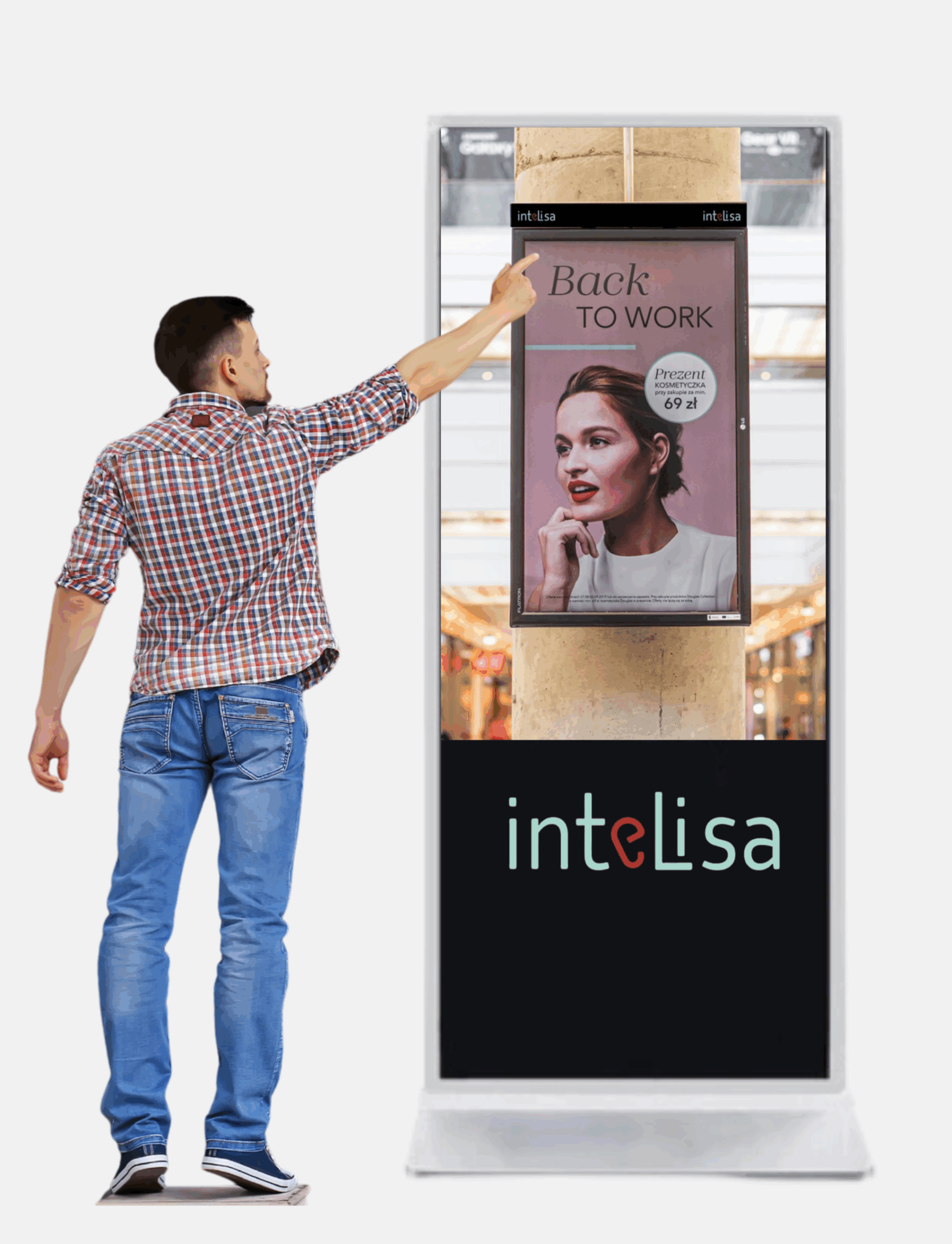
These displays can be installed in reception areas, lobbies, hallways, meeting rooms, cafeterias, elevators, production areas, and common spaces designated for employees. The purpose of corporate digital signage extends beyond merely displaying information; its objective is to enhance internal communication and foster a more engaging environment within the workplace.

Modern businesses use workplace digital signage to:
  • Share Company Announcements
  • Display Sales and KPI Dashboards
  • Highlight Employee Achievements
  • Improve Visitor Experience
  • Manage Meeting Room Availability
  • Share HR Communication
  • Display Live Social Media Feeds
  • Promote Workplace Events
  • Improve Safety Communication

The best part is that all screens can be managed centrally from one location, making communication faster, smarter, and more scalable.

Why Corporate Offices in India Are Adopting Digital Signage

Indian workplaces are becoming increasingly digital-first. Organizations now operate across multiple cities, hybrid teams are more common, and internal communication has become more challenging than ever.

Employees want transparency, quick updates, and better engagement. At the same time, companies want efficient communication systems that save time and improve workplace productivity.

This is why businesses across Mumbai, Delhi, Bangalore, Hyderabad, Pune, Chennai, and Ahmedabad are investing in corporate digital signage solutions.

Digital signage helps organizations to:
  • Reduce communication gaps across departments and locations
  • Keep employees informed in real time without email overload
  • Improve workplace engagement and morale
  • Strengthen company culture and office identity
  • Enhance office branding at every touchpoint
  • Deliver important information instantly to every screen
  • Create a modern, future-ready office environment

For fast-growing companies, internal communication can quickly become chaotic without centralized systems. Digital signage simplifies that process beautifully.

What Does Corporate Digital Signage Actually Do?

Initially, many businesses view office digital signage as nothing more than just another display screen. In reality, it becomes the backbone of workplace communication. Instead of sending repetitive emails or relying entirely on internal chat platforms, companies can visually convey information in the very spaces where employees naturally spend their time throughout the office.

Reception Displays

Welcome visitors, showcase company achievements, display brand videos and directions.

Cafeteria Boards

Digital menu boards, event updates, announcements and daily schedules.

Office Hallways

Announcements, HR reminders, employee achievements and news feeds.

Meeting Room Screens

Booking schedules, real-time room availability, and upcoming meeting details.

This system operates quietly in the background while continuously enhancing communication across the entire organization.

Digital signage also fosters consistency. Whether a company has a single office or twenty locations, the same updates, branding, and messaging can be instantly broadcast from headquarters to every screen. This proves to be invaluable for organizations operating across multiple cities throughout India.

The Key Benefits of Workplace Digital Signage

Corporate digital signage offers far more than just attractive screens. It creates measurable improvements in communication, engagement, productivity, and workplace culture.

Better Internal Communication

One of the biggest workplace challenges is ensuring employees actually see important updates. Emails get buried. Chat notifications are ignored. Printed notices go unnoticed.

Digital signage solves this by placing information directly in high-visibility office areas where employees naturally look throughout the day. Companies can instantly display:

  • HR announcements and policy updates
  • Company news and leadership messages
  • Holiday calendars and event reminders
  • Training updates and compliance notices
  • Emergency notifications and safety alerts
  • Town hall schedules and important deadlines

This improves communication reach significantly.

Stronger Employee Engagement

Employees feel more connected when they know what is happening within the organization. Digital signage creates visibility around company culture, achievements, employee recognition, and organizational goals. It helps employees feel included instead of disconnected from leadership communication.

Organizations can display:

  • Employee of the month and work anniversaries
  • Birthday celebrations and new joiners
  • Team achievements and internal success stories
  • Leadership messages and organizational milestones

These small moments create a stronger emotional connection with the workplace.

Real-Time KPI Dashboards

Modern organizations are increasingly data-driven. Teams perform better when they can see live business metrics and progress visually. Corporate digital signage allows companies to display:

  • Sales dashboards and performance metrics
  • Production numbers and operational KPIs
  • Customer satisfaction scores and support ticket updates
  • Business intelligence dashboards and live reports

These live updates improve transparency and keep teams aligned toward common goals.

📌 Did You Know?

Organizations using digital signage for internal communication report up to 25% improvement in employee productivity and significant reduction in internal email volume. Real-time visibility drives real-time performance.

Improved Visitor Experience

Reception and lobby displays help organizations create a strong first impression. Visitors entering the office can instantly see welcome messages, company achievements, brand videos, client success stories, office directions, and event information.

Guest welcome screens can even display visitor names dynamically, creating a premium and personalized experience.

Better Multi-Location Management

Many Indian businesses operate from multiple cities and office locations. Managing communication separately across different offices can become difficult and inconsistent.

With Intelisa corporate digital signage solutions, businesses can control all office screens centrally from headquarters. Content can be updated remotely across:

  • Mumbai offices and Nariman Point towers
  • Delhi branches and NCR campuses
  • Bangalore tech parks and IT corridors
  • Hyderabad facilities and HITEC City offices
  • Pune campuses and Chennai offices

This ensures communication consistency across the entire organization.

What to Display on Corporate Office Screens

What to Display on Corporate Office Screens

One of the biggest advantages of workplace digital signage is flexibility. Businesses can display different content based on the screen location and audience.

Live Business Dashboards

Sales numbers, operational KPIs, support metrics, production reports and performance dashboards that help employees stay informed and motivated.

Employee Recognition

Birthdays, anniversaries, employee awards, and achievements on office screens, helping employees feel valued and appreciated every day.

HR & Internal Announcements

Policies, office updates, training reminders, holiday schedules and event announcements, quickly and efficiently to all employees.

News & Industry Updates

Market news, industry headlines, company updates, competitor trends and economic updates, keeping employees connected to the bigger picture.

Cafeteria & Facility Updates

Cafeteria menus, shuttle schedules, maintenance notices, facility updates, parking alerts and event timings for daily operational communication.

Safety & Compliance Messages

Safety reminders, compliance notices, emergency procedures, shift schedules, training alerts and workplace guidelines for industrial and manufacturing offices.

Boosting Employee Engagement with Digital Signage

Employee engagement is one of the biggest priorities for modern organizations. Disconnected employees often feel less motivated, less informed, and less connected to the company culture.

Digital signage helps solve this by creating ongoing workplace communication throughout the day. Instead of communication happening only inside emails or meetings, employees continuously interact with company updates visually across office spaces.

Interactive workplace communication creates:

  • Better transparency between leadership and teams
  • Stronger emotional connection with the organization
  • Improved morale and sense of belonging
  • Better organizational alignment toward shared goals
  • Increased participation in company activities and events

Even something as simple as displaying employee achievements publicly can improve workplace motivation dramatically.

Perfect for Indian Corporate Environments

Corporate digital signage works exceptionally well in Indian workplaces because many organizations operate across large teams, multiple departments, and several office locations simultaneously.

Intelisa solutions are designed specifically for Indian business environments, including:

💻 IT Companies 🏢 Coworking Spaces 🏭 Manufacturing Head Offices 🏙️ Enterprise Campuses 🏛️ Corporate Towers 🎓 Educational Organizations 🏦 Banking Offices 📋 Consulting Firms

Our solutions support multi-language communication, which is especially important for organizations operating across different regions of India.

Smart Features Modern Offices Love

Modern workplace digital signage systems now include advanced features that make office communication even more efficient.

Conference Room Displays

Meeting room displays show live booking schedules, room availability, upcoming meetings, and booking status. This helps reduce meeting conflicts while improving room utilization across the entire office.

Cloud-Based Management

Content can be controlled remotely from one dashboard. Businesses can schedule announcements, update content instantly, manage multiple screens, push emergency updates, and customize content by location — making office communication incredibly efficient.

Multi-Language Support

For organizations operating across India, multi-language support is extremely valuable. Content can be displayed in English, Hindi, and other regional languages. This improves communication reach across diverse teams significantly.

Intelisa Smart Features at a Glance

☁️
Cloud-Based Control

Manage all screens from one dashboard remotely

📅
Content Scheduling

Schedule content in advance by time, day or event

🌐
Multi-Language

English, Hindi and all Indian regional languages

📊
Live Dashboards

Real-time KPIs, sales data and business metrics

🖥️
Multi-Screen Management

Control hundreds of screens across all locations

📱
Social Media Integration

Auto-display latest social feeds on office screens

Is Corporate Digital Signage Easy to Use?

Yes. Modern corporate digital signage systems are designed to be simple and user-friendly. Intelisa solutions allow businesses to manage office screens without requiring technical expertise.

Content updates can be done through an easy dashboard where teams can:

  • Upload images and add videos
  • Schedule announcements in advance
  • Display live dashboards and presentations
  • Run customized playlists by screen or location
  • Manage all content from any device, anywhere

Most organizations can start using the platform with minimal training.

Tips for Using Digital Signage in Your Workplace

Keep Content Simple

Employees usually glance at office screens for only a few seconds. Keep messaging clean, visual, and easy to understand quickly.

Use Real-Time Information

Live dashboards, event updates, social media feeds, and announcements perform much better than static content. Fresh content keeps employees engaged.

Celebrate Employees

Recognition content performs exceptionally well in workplaces. Employee appreciation builds a stronger culture and improves morale naturally.

Customize by Location

Reception screens, cafeteria displays, meeting rooms, and production floors all serve different purposes. Content should match the environment and audience.

The Future of Corporate Digital Signage

Corporate workplaces are becoming smarter, more connected, and increasingly digital. Future-ready offices are already adopting:

  • AI-powered dashboards that adapt content automatically based on audience and time
  • Interactive displays and touch-enabled kiosks for hands-on engagement
  • Real-time analytics to measure screen performance and content effectiveness
  • Cloud-managed communication systems for seamless multi-location control
  • Smart workplace integrations with HR, ERP, and business intelligence tools

Digital signage is quickly evolving from simple office displays into intelligent workplace communication ecosystems. Organizations that invest early create stronger employee experiences and more efficient communication systems.

Why Businesses Choose Intelisa

Intelisa provides complete corporate digital signage solutions designed for modern Indian workplaces. We help businesses with:

🖥️
Screen Setup
⚙️
Software Deployment
📝
Content Management
🌍
Multi-Location Control
📊
Dashboard Integrations
🎨
Office Branding
🤝
Ongoing Support

Our solutions are scalable for both small offices and enterprise-level organizations. Whether you need reception displays, cafeteria screens, KPI dashboards, meeting room displays, or company-wide communication systems, Intelisa delivers customized workplace digital signage solutions tailored to your business.

Ready to Modernize Your Workplace Communication?

Corporate communication should not feel outdated, slow, or disconnected. With Intelisa's corporate digital signage solutions, businesses can transform ordinary office screens into smart communication platforms that improve engagement, transparency, and workplace culture.

Start Free Trial → Explore Corporate Solutions

Intelisa - Smart Corporate Digital Signage Solutions for Modern Indian Offices.

Frequently Asked Questions

What is corporate digital signage?

Corporate digital signage refers to the use of digital screens within workspaces to display company messages, live updates, employee information, announcements, KPI dashboards, schedules, and branded content in real time. It replaces emails, printed notices, and outdated communication methods with dynamic, centrally managed screens across office spaces.

How does corporate digital signage improve employee engagement?

Corporate digital signage improves employee engagement by displaying recognition content, company achievements, team milestones, announcements, and live business metrics across office screens. Employees feel more connected, informed, and valued when they can see organizational updates in their everyday workspace — not just in emails or meetings.

Can Intelisa manage digital signage across multiple office locations in India?

Yes. Intelisa's cloud-based platform allows businesses to manage and update content across all office screens — whether across Mumbai, Delhi, Bangalore, Hyderabad, Pune, or any other city — from a single centralized dashboard. All screens can be updated simultaneously in real time from headquarters.

What kind of content can be displayed on corporate office screens?

Corporate office screens can display live KPI dashboards, sales metrics, HR announcements, employee recognition, company news, cafeteria menus, meeting room schedules, safety messages, social media feeds, industry updates, event information, and branded content. Content can be customized by screen location and audience.

Is corporate digital signage easy to manage without technical expertise?

Yes. Intelisa's corporate digital signage platform is designed to be user-friendly and requires no technical expertise. Teams can upload images, schedule announcements, display dashboards, run playlists, and manage all screens from an intuitive dashboard with minimal training required.

Does Intelisa support multi-language content for Indian offices?

Yes. Intelisa supports multi-language content display including English, Hindi, and other regional Indian languages. This is especially valuable for organizations operating across different regions of India with diverse teams and employee demographics.

Categories
Digital Signages

Is Digital Signage Worth It? A Cost vs. Value Breakdown

Is Digital Signage Worth It? A Cost vs. Value Breakdown

Walk into any modern retail store, café, corporate office, or gym today and you’ll notice one thing instantly: screens are everywhere. 

A bright, moving display naturally grabs more attention than a faded poster taped to a wall. 

But here’s the real question businesses keep asking: Is digital signage actually worth the investment?

The short answer? Yes, if you use it strategically.

For many businesses, digital signage has become a tool for improving customer engagement, increasing sales, streamlining communication, and creating a more modern brand experience. 

Still, before investing, it’s important to understand the actual digital signage cost, the ongoing expenses, and the potential return you can expect. 

Let’s break it all down in simple terms.

Understanding the real digital signage cost

When businesses first look into digital signage, they often focus only on the screen price. But the cost of a digital signage system includes several moving parts.

The good news? You can scale it based on your budget.

1. Hardware costs

The biggest upfront expense is usually the display itself.

Most businesses use commercial-grade digital displays because they’re designed to run for long hours without overheating or losing brightness. Consumer TVs may seem cheaper initially, but they often don’t hold up well in business environments.

A basic setup may include:

  • Commercial displays
  • Media players
  • Wall mounts
  • Cabling and installation accessories

Why commercial displays matter

Commercial screens are built for:

  • 16/7 or 24/7 operation
  • Better brightness
  • Longer lifespan
  • Remote management compatibility

That’s why they’re often recommended for professional digital signage setups.

2. Software costs

The next part of digital signage pricing is the software.

Most businesses use a Content Management System (CMS) to:

  • Schedule content
  • Update screens remotely
  • Manage multiple locations
  • Run promotions in real time

Some CMS platforms charge monthly SaaS fees, while others offer one-time licenses.

Cloud-based systems are usually preferred because they’re easier to manage and scale.

This is why many businesses now prefer integrated digital signage solutions instead of sourcing hardware, software, and content tools separately. 

Digital Signage Costs
💡Platforms like Intelisa combine cloud-based content management, remote scheduling, and plug-and-play deployment into a single system, making it easier for businesses to manage screens without needing a large technical team.

3. Content creation & maintenance costs

This is the part businesses sometimes overlook.

A screen is only as effective as the content displayed on it.

You may need:

  • Promotional graphics
  • Videos
  • Menus
  • Internal announcements
  • Motion design

You’ll also need occasional maintenance for:

  • Internet connectivity
  • Software updates
  • Hardware servicing

The upside? Once your system is live, updating content becomes far cheaper than constantly printing posters or banners.

How much does digital signage cost?

Digital Signage System

Here’s a simple breakdown of typical digital signage cost ranges.

Component Estimated Cost Range Frequency
Commercial Displays $300 – $2,000+ per screen One-time
Media Players $50 – $300 per unit One-time
CMS Software $10 – $50 per screen/month Recurring
Installation & Setup $200 – $1,000+ One-time

The final cost of digital signage system depends on:

  • Screen size
  • Number of displays
  • Content complexity
  • Installation requirements
  • Software features

A small business may start with a single screen setup, while enterprises may deploy hundreds of networked displays.

Digital signage benefits: Why businesses invest anyway

At first glance, digital signage can seem expensive.

But businesses don’t invest in it because it looks cool. They invest because it delivers measurable value.

Let’s look at the biggest digital signage benefits.

Why Businesses Choose Digital Signage

Benefits of digital signage for retail

Retail is one of the biggest adopters of digital signage, and for good reason.

1. Increased impulse purchases

Dynamic screens naturally attract attention.

Retailers often use digital displays to:

  • Promote limited-time offers
  • Highlight high-margin products
  • Upsell add-ons near checkout

Studies have shown that digital signage can significantly increase customer engagement compared to static signage.

2. Faster Promotional Updates

Traditional print promotions take time and money.

With digital signage, you can:

  • Change offers instantly
  • Schedule promotions by time of day
  • Run seasonal campaigns without reprinting materials

This flexibility becomes especially valuable for restaurants, retail stores, and supermarkets.

Also Read: How digital signage transforms the shopping mall experience

3. Reduced perceived wait times

Customers feel less frustrated when they’re visually engaged.

That’s why many businesses place screens near:

  • Billing counters
  • Waiting areas
  • Reception desks

Even simple content like entertainment, product highlights, or social proof can improve the customer experience.

💡Confused about where to deploy digital signage? Here are some unexpected places to place digital signage and why it works.

Digital Signage Benefits for Corporate Spaces

The value isn’t limited to retail.

Corporate offices use digital signage solutions for:

  • Internal communication
  • Employee engagement
  • Meeting room scheduling
  • KPI dashboards
  • Company announcements

Instead of sending long email chains, organizations can communicate visually and instantly across offices.

Digital signage cost vs ROI: Is the return actually worth it?

This is where the conversation gets interesting.

When evaluating digital signage cost vs ROI, businesses should look at two different things:

  1. Return on Investment (ROI)
  2. Return on Objective (ROO)

Both matter.

1. Return on Investment (ROI)

This refers to direct financial gains.

For example:

  • Increased sales from promoted products
  • More foot traffic
  • Higher average order values
  • Reduced printing expenses

A restaurant might promote a combo meal on a digital menu board and see a noticeable increase in orders. A retail store may push flash sales during peak hours and increase conversions.

These are measurable financial outcomes tied directly to your digital signage investment.

One major factor influencing digital signage ROI is how quickly businesses can update and personalize content across locations.

For example, Intelisa’s digital signage platform helps businesses remotely manage screens, schedule campaigns in real time, integrate social media feeds, and standardize communication across locations.

In fact, some businesses have reported engagement and sales improvements of up to 3X–5X using our dynamic digital signage displays. 

Global digital network and advertising map

What makes this interesting is the range of sectors using digital signage differently to improve ROI.

Our solutions are currently used across:

  • Retail outlets
  • Restaurants & cafés
  • Corporate offices
  • Healthcare facilities
  • Manufacturing plants
  • Advertising & Digital OOH environments

For instance:

  • Retail brands use digital displays for promotions and omnichannel experiences
  • Restaurants use them for dynamic menu boards and queue management
  • Healthcare clinics use screens for patient education and communication
  • Manufacturing facilities use them for process visibility and workforce communication

You can find the details about the various sectors we serve here!

The platform has also been deployed across large multi-location businesses.

One apparel and fashion chain in India reportedly rolled out our solution across 250 stores to support centralized content management and larger omnichannel goals.

This highlights an important point: the ROI of digital signage often increases as businesses scale because content updates, promotions, and communication become far easier to manage centrally.

2. Return on Objective (ROO)

Some benefits are harder to measure directly, but they still have a major business impact.

This includes:

  • Better brand perception
  • A more modern customer experience
  • Stronger employee communication
  • Increased brand recall
  • Better customer compliance
  • Improved visual consistency across locations

For example, a sleek digital display in a retail store, clinic, or office lobby instantly makes the business feel more modern and premium.

That perception influences customer trust.

This is one reason why sectors like retail, healthcare, hospitality, and corporate offices are rapidly adopting modern digital signage solutions. Businesses are no longer using screens just to display information, they’re using them to shape experiences.

Digital Signage Cost vs Roi

Is digital signage worth it for small businesses?

Yes, if you start small and use it strategically.

Many small businesses assume digital signage is only for giant retailers or corporations. That’s no longer true. Affordable hardware and cloud-based software have made digital signage solutions accessible even for local businesses.

Today, small businesses don’t necessarily need expensive enterprise infrastructure to get started.

Many modern platforms, including our solution, offer plug-and-play deployment, centralized scheduling, and subscription-based pricing models that make digital signage more affordable for growing brands.

Digital signage in India: Why the market is growing fast

The adoption of digital signage in India has grown rapidly over the last few years.

Retail chains, restaurants, malls, hospitals, gyms, and corporate offices are increasingly replacing traditional posters with digital displays.

Several factors are driving this growth:

  • More affordable hardware
  • Better internet connectivity
  • Competitive SaaS pricing
  • Growing demand for modern customer experiences

The rise of affordable cloud-based platforms has also accelerated the growth of digital signage in India. Even smaller brands are using digital displays to compete with larger businesses visually.

Final verdict: Is digital signage worth it?

For most businesses, yes.

The real value of digital signage goes beyond the screen itself. It’s about flexibility, visibility, engagement, and long-term efficiency.

While the upfront digital signage cost can feel significant, the long-term savings and customer engagement benefits often outweigh the initial investment.

The key is having:

  • The right hardware
  • A clear content strategy
  • Consistent updates
  • Defined business goals

When used correctly, digital signage becomes less of an expense and more of a business growth tool. Want to explore how it works? Book a free trial with us today!

FAQs About Digital Signage Cost & ROI

A basic digital signage setup can cost anywhere from a few hundred dollars to several thousand, depending on the display size, software, installation, and number of screens.

The biggest factors include:

  • Commercial display quality
  • Number of screens
  • CMS software subscriptions
  • Content creation needs
  • Installation complexity

Yes. Small businesses can start with affordable single-screen setups and still see strong engagement and branding benefits.

The biggest benefits include:

  • Better customer engagement
  • Faster promotional updates
  • Reduced printing costs
  • Improved brand perception
  • Increased sales opportunities

Businesses typically track:

  • Sales lift
  • Customer engagement
  • Foot traffic
  • Promotion performance
  • Operational savings

They also measure softer metrics like brand awareness and customer experience improvements.

Categories
Digital Signages

Beyond the Menu: 10 Creative Content Ideas for Restaurant Lobby Screens

Most restaurants use their screens the same way. A menu goes up, maybe a combo offer, or a festive graphic that stays there for three months.

However, restaurant digital signage can do so much more than display food prices. Your lobby screen is one of the first things people notice when they walk in.

It’s there while they wait for a table, stand in line, scroll through delivery orders, or decide what to eat. So why waste that attention?

The smartest restaurants today are using screens to entertain customers, build cravings, increase upsells, create ambience, and make the whole dining experience feel more memorable.

And the best part? You don’t need massive budgets or complicated tech to make it work.

In this guide, we’ll look at creative restaurant screen content ideas you can start using right away, whether you run a café, QSR, cloud kitchen, fine-dining restaurant, or franchise.

What to show on restaurant digital signages

This is where many restaurants get stuck. Once the menu is live, people often run out of ideas. But your screen content should evolve constantly. The goal isn’t just to fill empty screen space. 

It’s to create moments that make someone suddenly crave dessert, pull out their phone to post a story, or feel like the wait wasn’t actually that long.

Here are some restaurant lobby screen ideas that actually work.

Beyond the Menu 10 Creative Content Ideas for Restaurant Lobby Screens

1. Make Your Food Look Impossible to Ignore

This one sounds obvious, but most restaurants still don’t do it particularly well.

Instead of relying on static food photos, use motion wherever possible. Show cheese pulls, coffee pours, burgers sizzling on the grill, chocolate dripping over desserts, or steam rising from fresh dishes.

Food visuals work because people eat with their eyes first. One of the best digital menu board ideas is turning your signature dishes into mini cinematic moments that instantly trigger cravings.

Even subtle movement can dramatically increase attention. And instead of simply showing the dish, add small emotional cues like: “Our most ordered pasta.”

Or: “Freshly baked every morning”.

That extra layer of storytelling makes the food feel far more memorable and desirable.

Make Your Food Look Impossible to Ignore

2. Put Customer Reviews on Your Screens

People trust people. A glowing review on a screen feels far more authentic than traditional advertising.

So instead of only talking about yourself, let customers do it for you.

You can showcase:

  • Google reviews
  • Customer photos
  • Instagram mentions
  • Food creator shoutouts
  • User-generated content
  • Milestones like “10,000 happy customers”

This works especially well in crowded food markets where customers are choosing between multiple restaurants nearby.

Social proof gives people reassurance.

It quietly says: “Others loved this place too.”

And that matters more than most restaurant owners realize.

Put Customer Reviews on Your Screens

3. Use Screens to Push Limited-Time Offers

A printed poster doesn’t create urgency, but a moving screen does.

That’s the magic of restaurant digital signage.

You can instantly highlight:

  • Weekend specials
  • Happy hours
  • Seasonal drinks
  • Combo offers
  • Flash discounts
  • Festive menus
  • Late-night deals

The key here is timing.

Instead of saying: “Try our summer drinks.”

Say: “Only available this weekend”

That small change makes people act faster.

FOMO works, especially with food.

Use Screens to Push Limited-Time Offers

4. Tell People About Your Restaurant

Not just your menu, but your story. Customers love knowing what makes a restaurant different.

  • Maybe your ingredients come from local farms.
  • Maybe your recipes are family traditions.
  • Maybe your chef trained somewhere interesting.
  • Maybe your café rescues surplus food.

These stories matter.

And lobby screens are a great place to tell them.

You can show:

  • Behind-the-scenes kitchen footage
  • Chef interviews
  • Team stories
  • Sustainability efforts
  • Ingredient sourcing
  • Restaurant history

Storytelling gives your brand personality, and personality is what people remember.

Tell People About Your Restaurant

5. Display Live Social Media Feeds

This is one of the easiest ways to make the restaurant lobby display content feel fresh all the time.

Instead of static graphics, pull in live social content.

  • Customer posts
  • Tagged photos
  • Instagram reels
  • TikToks

This does two things:

First, it makes your space feel active and popular.

Second, it encourages more customers to post about you.

You can even add: “Tag us to get featured.”

That simple line can increase user-generated content dramatically.

Especially for cafés and visually driven restaurants.

Display Live Social Media Feeds

6. Make Waiting Feel Less Annoying

Nobody likes waiting. But interesting screens can make waits feel shorter.

That’s why entertainment-based content works so well.

You can show:

  • Food trivia
  • Fun facts
  • Sports updates
  • Interactive polls
  • Mini quizzes
  • Entertaining short videos
  • Local event updates

This strategy works particularly well for QSRs and busy restaurants with long queues.

Because distracted customers are usually more patient customers.

And a better waiting experience often leads to a better overall brand experience.

Make Waiting Feel Less Annoying

7. Educate Customers Without Sounding Boring

Modern customers care more about ingredients than ever before, especially younger audiences. 

People want transparency. They want to know:

  • Where ingredients come from
  • Whether dishes are healthy
  • Which options are vegan or gluten-free
  • How fresh the food is
  • What makes your food different

Restaurant digital signage is perfect for this.

And no, educational content doesn’t have to feel corporate.

You can keep it visual, quick, and conversational.

Something like: “Our coffee beans are roasted locally every week.”

Simple, useful, and memorable.

Educate Customers Without Sounding Boring

8. Upsell Without Feeling Pushy

Nobody enjoys aggressive selling. But smart upselling? That works.

Digital screens are amazing for subtle recommendations.

For example:

  • Showing desserts right after meal visuals
  • Pairing drinks with burgers or pizzas
  • Highlighting combo upgrades visually
  • Suggesting sides during peak ordering hours

The trick is making it feel natural.

Not forced.

The best digital menu boards guide customer decisions visually instead of aggressively shouting offers.

And over time, even small upsells can significantly increase revenue.

Upsell Without Feeling Pushy

9. Promote Events and Community Nights

If your restaurant hosts events, your lobby screen should absolutely talk about them.

Things like:

  • Live music nights
  • Open mics
  • Sports screenings
  • Karaoke nights
  • Festive specials
  • Brunch events
  • Chef tastings
  • Community collaborations

This gives customers a reason to come back.

And honestly? It makes your restaurant feel alive.

Especially for cafés and lifestyle-driven spaces, events help build a loyal community around the brand.

10. Use Screens to Create Ambience

Not every piece of content needs to sell something.

Sometimes the goal is simply to make the space feel better.

This is where ambient visuals become incredibly powerful.

Think:

  • Rain visuals
  • Coffee brewing loops
  • Fireplace animations
  • Cinematic city shots
  • Nature footage
  • Abstract motion graphics
  • Slow café-style visuals

These little details change how a restaurant feels.

And perception matters.

A restaurant that feels premium often gets treated like a premium restaurant.

This is where large-format displays and video walls can completely transform interiors.

A Few Quick Tips Before You Start

Before you start adding random content to your screens, here are a few things worth keeping in mind.

Keep Text Minimal

People glance at screens quickly. If they have to read giant paragraphs, they’ll ignore them.

Short messaging works best.

Motion Works Better Than Static

Even subtle animation attracts attention. You don’t need flashy visuals everywhere.

Just enough movement to guide the eye.

Refresh Content Regularly

If the same graphic stays up for six months, people stop noticing it.

Rotate content often.

Especially:

  • Promotions
  • Seasonal items
  • Events
  • Social posts
  • Featured dishes

Freshness keeps screens effective.

Match Content to Customer Behavior

Different screens should do different things.

For example:

Customer Situation Best Content
Waiting in line Promotions and upsells
Waiting for food Entertainment content
Entering restaurant Branding and ambience
Dining area Lifestyle visuals and events

This makes your digital signage strategy feel intentional instead of random.

How Restaurants Are Using Digital Signage Today

Different restaurants use screens differently.

  • Quick-service restaurants focus heavily on speed and promotions.
  • Fine-dining spaces use screens more subtly for ambience and storytelling.
  • Cafés use them for community-building and social engagement.
  • Cloud kitchens use them for pickup communication.

But the bigger shift happening right now is this:

Restaurant screens are no longer just informational, they’re experiential.

And customers increasingly expect that.

Bringing these ideas to life with Intelisa

If all of this sounds exciting yet slightly overwhelming, that’s exactly where Intelisa comes in. At Intelisa, we’ve seen restaurants use digital signage for far more than just displaying menus.

Some use it to highlight bestsellers and promotions, while others use it to create ambience, showcase customer reviews, run social media feeds, or simply make waiting feel less boring.

The biggest advantage of restaurant digital signage is flexibility. You can update content instantly, manage multiple screens from one place, schedule promotions in advance, and keep your displays fresh without constantly redesigning or reprinting materials.

Whether you run a café, QSR, cloud kitchen, or fine-dining restaurant, Intelisa’s cloud-based digital signage platform helps you create screen experiences that feel engaging rather than repetitive. And because everything is managed centrally, it’s much easier to keep content consistent across locations while still updating in real time.

If you want to see how it works, start your free trial today!

Frequently Asked Questions

Restaurant digital signage refers to digital displays used inside restaurants to show menus, promotions, branding content, entertainment, or customer communication.

Restaurants can show promotions, food visuals, customer reviews, social media feeds, events, ambience visuals, educational content, and upsell recommendations.

Digital signage helps restaurants improve customer engagement, increase upsells, reduce perceived wait times, and create a more modern dining experience.

Some of the best digital menu board ideas include motion food visuals, combo offers, limited-time deals, add-on recommendations, and seasonal promotions.

Restaurants should ideally update promotions weekly and rotate visuals regularly to keep content fresh and engaging.

Need a quote or product info?
Our sales assistant is here to help.